On this page▾
You cannot run native Apple CarPlay on a Tesla screen today. CarPlay has been reported as in development for some Hardware-4 cars, but the rollout is delayed and skips most pre-2024 Teslas. Use Car Play Connect Mount Mode on a mounted iPhone, buy a hardware adapter, or wait if you drive a 2024+ Hardware-4 Tesla.
Parked in a 2022 Model Y last month, I watched the Tesla display boot its own maps and climate stack. No CarPlay icon appeared. A 2024 Model 3 Highland sits on Tesla's Hardware-4 list, yet still has no confirmed ship date. An iPhone on iOS 16.3, clamped to the dash, is the setup I actually drive with.
The 30-second test
Answer two questions before you spend money: which Tesla do you drive, and do you need CarPlay on the Tesla glass itself?
- Pre-2024 Tesla — official CarPlay is unlikely. Pick Mount Mode or an adapter.
- Hardware-4 Model 3 Highland (2024+), Model Y Juniper (2025+), or Cybertruck — waiting is a real option, still without a confirmed ship date.
- Need CarPlay on the Tesla screen — only an adapter does that today.
- Want Apple Music, Podcasts, and Maps without touching the car — Mount Mode on the iPhone is the free path.
Build your CarPlay
Put an iPhone dashboard on the Tesla dash
Car Play Connect Mount Mode gives you a GPS speedometer, full-screen maps, and tap-sized media buttons. Free to try on iOS 16.3 and up — Tesla software stays on the car screen.

Car Play Connect: Auto Sync
4.6·2,735+ ratings·Free


Does a Tesla screen have Apple CarPlay?
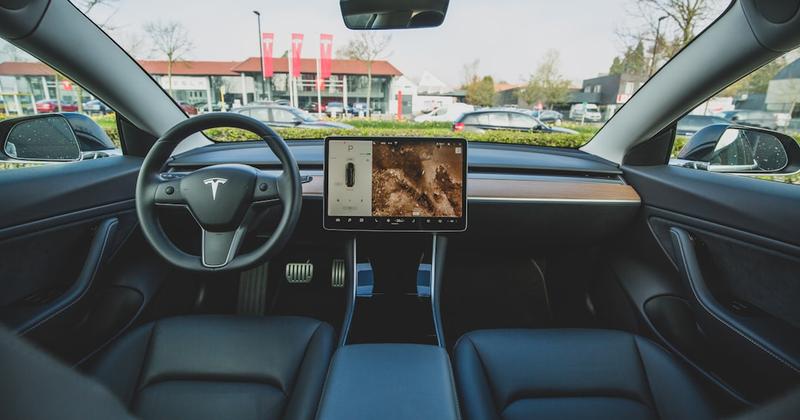
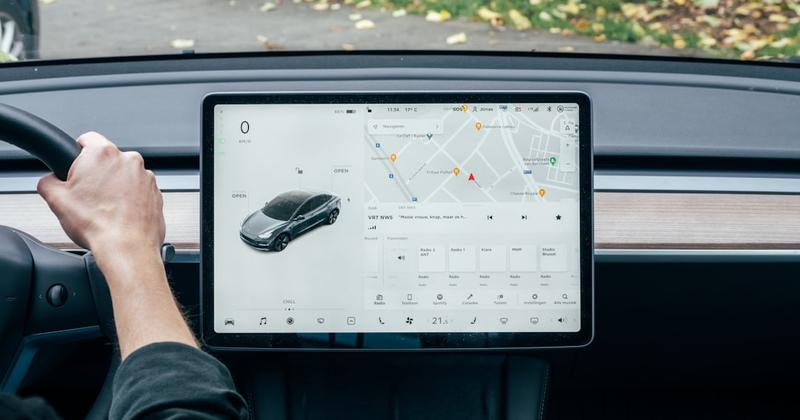
No Tesla on the road today ships with native Apple CarPlay. Apple's CarPlay page is the official write-up of that iPhone-on-the-car-display idea. Tesla's centre screen still runs Tesla software for maps, media, and calls.
Bloomberg has reported that Tesla is working on CarPlay support; Tesla itself has never made an official announcement. The reported plan is a windowed CarPlay panel, not a full takeover of the display. Eligible models: Hardware-4 Model 3 Highland (2024+), Model Y Juniper (2025+), and Cybertruck. Pre-2024 Teslas likely never get it. For the full rundown of the reporting and model list, see our Tesla CarPlay 2026 update.
The rollout is still delayed, with no firm ship date confirmed. So a search for "Tesla screen" plus CarPlay usually ends here: the glass you already have will not sprout a CarPlay home this week.
People also ask why CarPlay will not connect, or why the phone will not join the car. In a Tesla those are the same fact. No CarPlay receiver exists for the iPhone to handshake with.
Method 1: Use Mount Mode on your iPhone
Mount Mode is the free path that needs no Tesla modification. Car Play Connect Mount Modeturns the iPhone into a CarPlay-equivalent dashboard while the Tesla screen keeps climate, driving, and the car's own apps. Every Tesla year works.
Download Car Play Connect: Auto Sync from the App Store (free to download; the listing posts an Annual Plan at $19.99/year). iOS 16.3 is the listing minimum. Clamp the phone, plug in power, then open Mount Mode and drive.
What you actually get on the iPhone:
- GPS speedometer — bigger than many older dashes, mph or km/h, day/night auto-switching.
- Driver-mode buttons sized to tap without looking: volume, next-track, end-call.
- Apple Maps and Google Maps in full-screen views with auto-rotate.
- Voice-only mode hides the screen when you do not need to look.
- Hands-free dialing from a quick contacts grid.
- Apple Music, Apple Podcasts, and Apple Maps on the phone; Tesla functions stay on the Tesla screen.
No CarPlay session means no iOS 26 widget row on the Tesla glass. Dynamic Lyrics can still follow a time-coded track on the iPhone lock screen in a Tesla — same sync, different surface. Startup sounds in the app hook a CarPlay connect event, so skip them unless you later add an adapter.
When Mount Mode will not satisfy you: you want Apple's layout on the Tesla display itself. The iPhone is the dashboard. Glance down at a legal mount, not at a mirrored Tesla pane.
Method 2: Route CarPlay through a Tesla adapter
A hardware CarPlay adapter is the only way to put CarPlay on the Tesla screen today. Carlinkit Tesla and Tesery are the units our Tesla page names. Street price varies by retailer and model year, so check the current listing before you buy.
Adapters route CarPlay through Tesla's built-in browser. You get a CarPlay-looking panel on the glass you already stare at. Cabin aesthetics take a hit. Resale can too.
Tesla has updated firmware to break similar workarounds before. Nothing is officially voided. Still treat the adapter as a workaround that can vanish after a software night. Apple's CarPlay setup guide is written for cars that ship CarPlay. A Tesla-plus-browser dongle is not that car.
Exact Tesla browser taps are not confirmed in our product notes, so this guide will not invent a Tesla menu path. Follow the adapter maker's sheet, then park before you tap. If the panel dies after a Tesla update, Mount Mode is the fallback that does not care about firmware.
Build your CarPlay
Keep maps on the phone if the adapter flakes
Mount Mode does not ride Tesla's browser. Apple Maps and Google Maps stay full-screen on the iPhone, and Dynamic Lyrics can sit on the lock screen while you drive a Tesla.
Car Play Connect: Auto Sync
Free
Method 3: Wait for official Tesla CarPlay
Waiting only makes sense on a short list. Hardware-4 Model 3 Highland (2024+), Model Y Juniper (2025+), and Cybertruck are the models Tesla has named for the upcoming panel. The implementation is a windowed CarPlay panel, not a replacement for Tesla's UI.
Pre-2024 Teslas should plan a permanent workaround. The rollout remains delayed with no firm ship date confirmed. So "I will just wait" is a Hardware-4 bet, not a 2022 Model Y plan.
Siri for CarPlay needs a CarPlay session. Tesla has none today, so the Tesla screen has no Siri-for-CarPlay switch. Use iPhone Siri on a mounted phone, or wait for the official panel if you drive a listed Hardware-4 car.
Turning CarPlay off is the same story in reverse. Tesla software has no CarPlay switch. Adapter users leave the browser session or unplug. Mount Mode users take the phone off the dash.
Tesla screen setups compared
Three working paths, ranked the way we use them. Adapter pricing varies by retailer, so check the current listing before you buy.
| Setup | What you pay | Which Teslas | CarPlay on the Tesla screen? | Main catch |
|---|---|---|---|---|
| Mount Mode (Car Play Connect) | Free download; $19.99/year plan on the listing | Every model and year | No — the iPhone is the dashboard | Tesla glass stays Tesla; you need a mount |
| Carlinkit Tesla / Tesery adapter | Varies by retailer | Works as a browser workaround | Yes, via Tesla's browser | Firmware can break it; look and resale suffer |
| Official Tesla CarPlay | Not shipping; price not confirmed | HW4 Model 3 Highland 2024+, Model Y Juniper 2025+, Cybertruck | Planned windowed panel | No ship date confirmed; pre-2024 likely never |
Frequently Asked Questions
Do Teslas have Apple CarPlay?
No. No Tesla on the road today ships with native Apple CarPlay. Bloomberg reported Tesla is working on a windowed CarPlay panel for recent Hardware-4 cars — Model 3 Highland (2024+), Model Y Juniper (2025+), and Cybertruck. Tesla itself has never confirmed it, and the rollout remains delayed with no firm ship date. Pre-2024 Teslas likely never get it.
Why is my CarPlay not connecting in a Tesla?
CarPlay will not connect because a Tesla has no native CarPlay hardware. The iPhone is not the problem. A CarPlay panel has been reported as in development, but that panel is not on cars in service and no ship date has been confirmed. A paid hardware adapter can route CarPlay through Tesla's browser. Firmware updates have broken similar workarounds before. Car Play Connect Mount Mode skips CarPlay and uses the iPhone as the dashboard.
What is CarPlay?
Apple CarPlay puts navigation, music, calls, and messages from your iPhone onto a car's built-in display. Apple's CarPlay page is the official write-up of that idea. Tesla does not ship that stack. On a Tesla you keep vehicle controls on the Tesla screen. Run Apple Music, Apple Podcasts, and Apple Maps on a mounted iPhone, or add an adapter.
Can I get CarPlay on a Tesla screen with an adapter?
Yes, a hardware adapter such as Carlinkit Tesla or Tesery can put CarPlay on the Tesla screen. The path runs through Tesla's built-in browser. The cabin look changes, and resale value can take a hit. Tesla has shipped firmware that broke similar workarounds. Nothing is officially voided, but treat the adapter as a workaround, not a factory feature.
How do I disconnect CarPlay from a Tesla?
Unplug the adapter or leave the browser session if you added aftermarket CarPlay. Tesla's own software has no CarPlay off switch, because CarPlay is not built in. Mount Mode never joins CarPlay. Take the iPhone off the dash or lock it. Park first if you need to change the setup.
How do I customize Apple CarPlay in a Tesla?
You cannot customize a native CarPlay home on the Tesla screen, because native CarPlay is not there. Customize Car Play Connect Mount Mode on the iPhone: mph or km/h, day/night auto-switching, full-screen Apple Maps or Google Maps, and the driver-mode buttons. Tesla's own display still handles climate and driving controls.
Related guides
- iPhone dashboard for Tesla and older cars — Mount Mode, the adapter price band, and the 2026 Tesla CarPlay timeline.
- Dynamic Lyrics for CarPlay — the same active-line lyrics on an iPhone lock screen in a Tesla.
- CarPlay widgets for iOS 26— widget rows for a real CarPlay session, not Tesla's own UI.
- Custom CarPlay startup sound — connect and disconnect chimes once you have a CarPlay session.
- All CarPlay guides — setup, widgets, and by-car notes.