 Add Car Widgets
Custom CarPlay startup sound — built-in presets, plus your own.
To add an intro to Apple CarPlay — a custom sound when it connects — install Car Play Connect, pick one of the built-in presets (or import your own .m4a), and it plays every time CarPlay connects. iOS has no built-in setting for this — the app hooks the CarPlay session start instead. Setup takes about 30 seconds.
Updated July 2026 for iOS 26.2. The default CarPlay connection sound has been the same since 2014. Pick one sound for connect, a different one for disconnect.
How to change the CarPlay startup sound (5 steps).
iOS has no Settings toggle for the connection chime. Install the app, pick a sound, connect. Shortcuts can play a file on connect, but it flakes across iOS updates and cannot set a separate disconnect sound.
- Step 1: Install a CarPlay sound appInstall Car Play Connect from the App Store. It registers with the CarPlay session lifecycle and plays a substitute sound at the right moment, replacing Apple's default startup sound.
- Step 2: Open Sounds → Connect SoundBrowse the built-in presets across 7 packs — EV whoosh, luxury sedan, retro arcade, minimal pings, engine starts, voice cues, and sci-fi — or import your own .m4a, .mp3, or .wav up to 5 seconds long.
- Step 3: Set a separate Disconnect Sound (optional)Choose a different preset for when CarPlay disconnects, or leave it off if you only want a sound on connection.
- Step 4: Connect and confirmPlug in or connect wirelessly. Your custom sound plays within 1 second. The app auto-normalizes loudness so a loud import does not blast your speakers.
- Step 5: Trim or adjust if neededIf a custom audio file is too long or starts with a quiet lead-in, tap the file in Sounds → Edit and trim the start or end. Save and reconnect to verify.
Tap a sound. Hear it right here.
A few of the library's presets, playable right in your browser. The full set lives in the app.
Seven packs of sounds, plus your own.
EV whoosh
4 soundsThe whoosh + tone that makes you think the car is fancier than it is.
Luxury sedan
6 soundsSoft tone-pair, half-second decay, low frequency. Confident, not loud.
Retro arcade
8 soundsCoin pickup, level start, pinball — for when you want CarPlay to feel like 1987.
Minimal pings
5 soundsSingle note variants for people who hate sound design and just want acknowledgment.
Engine starts
7 soundsV8, V12, EV whine, hybrid hum. Sampled, normalized, looped if needed.
Voice cues
9 soundsShort "CarPlay connected" / "Drive safe" / "Welcome back" lines, multiple voices.
Sci-fi
6 soundsAirlock swoosh, deep-space console tones, generic-but-cool sweeps.
Drop your own .m4a. Trim it in the app. Done.
- Supports .m4a, .mp3, .wav up to 5 seconds.
- Auto-trim and normalize, so a 90-decibel air horn doesn't actually peel paint.
- Stored on device — your audio doesn't leave your phone.
This page is for picking a ready-made preset. To build one from your own audio — upload a clip, trim it to 5 seconds, normalize the level, and export a ready-to-import .wav — use the CarPlay startup sound maker. It runs free in your browser, nothing uploaded.
Frequently Asked Questions
How do I add an intro to Apple CarPlay?
The CarPlay "intro" is the sound that plays when CarPlay connects. iOS has no setting to change it, so install Car Play Connect, open Sounds → Connect Sound, and pick a built-in preset or import your own .m4a, .mp3 or .wav up to 5 seconds. It plays every time CarPlay connects, and you can set a separate sound for disconnect.
How do I change my CarPlay startup sound?
Install Car Play Connect, open Sounds → Connect Sound, pick from the built-in presets or import your own .m4a (max 5 seconds). The app registers with the CarPlay session lifecycle and replaces Apple's default startup sound. Works on iOS 16.2+. Setup takes about 30 seconds.
Can I really change the CarPlay startup sound?
Yes. iOS Settings doesn't expose a toggle for the startup sound, but the CarPlay session API lets a dedicated app intercept the connection event and play a substitute sound at the right moment. That's what Car Play Connect does.
Is there a free way to change the CarPlay sound?
The Shortcuts automation route is free: create a Personal Automation triggered by 'When CarPlay connects' that plays an audio file. It's unreliable across iOS updates and can't easily set a different disconnect sound. A dedicated app is more reliable but isn't free.
How do I program my Apple CarPlay startup sound?
Two methods: (1) Shortcuts app — Settings → Shortcuts → Automation → +' → 'When CarPlay connects' → Add Action: Play Audio. (2) Car Play Connect — open the app, tap Connect Sound, pick a preset or import your audio. Method 2 is more reliable and supports separate connect/disconnect sounds.
What's the best CarPlay startup sound?
There is no ranked best chime. This page lists 7 packs: EV whoosh (4 sounds), luxury sedan (6), retro arcade (8), minimal pings (5), engine starts (7), voice cues (9), and sci-fi (6). Pick by the cabin — a whoosh, a soft tone-pair, an engine start, or a one-note ping. Voice lines such as 'CarPlay connected' sit in Voice cues. Import a .m4a, .mp3, or .wav if none fit; the cap is 5 seconds.
Can I download CarPlay startup sounds?
Yes — the Car Play Connect sound library is free to browse and play in-app. For custom .m4a downloads, use royalty-free libraries (Pixabay, Freesound) and import via Sounds → Add Custom. Max file length is 5 seconds; the app auto-normalizes loudness so a 90-decibel air horn doesn't peel paint.
What audio formats are supported for custom sounds?
.m4a, .mp3, and .wav files up to 5 seconds long. The app auto-trims and normalizes so loud imports don't blast your speakers.
Different sounds for connect and disconnect?
Yes. Pick one for CarPlay connection and a different one for disconnection. Or leave the disconnect sound off if you only want a sound on connection.
The other things the app does.
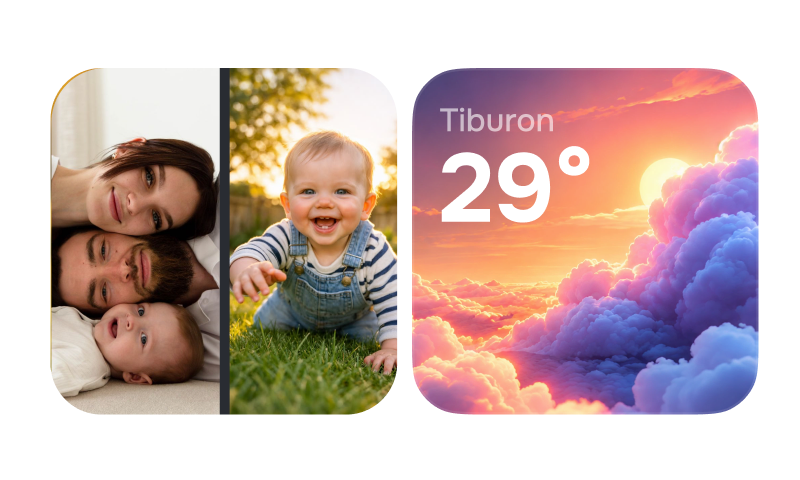
CarPlay widgets for iOS 26
Car-brand logos, weather cards, clocks, photos, and air-quality tiles for the CarPlay home screen in iOS 26.
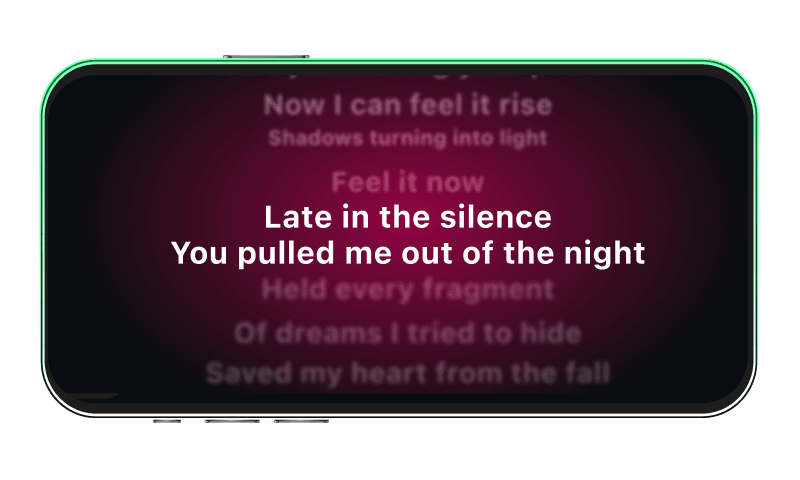
Synced CarPlay lyrics
Time-coded karaoke lyrics on the CarPlay display for Apple Music and Spotify. The active line highlights as the song plays.
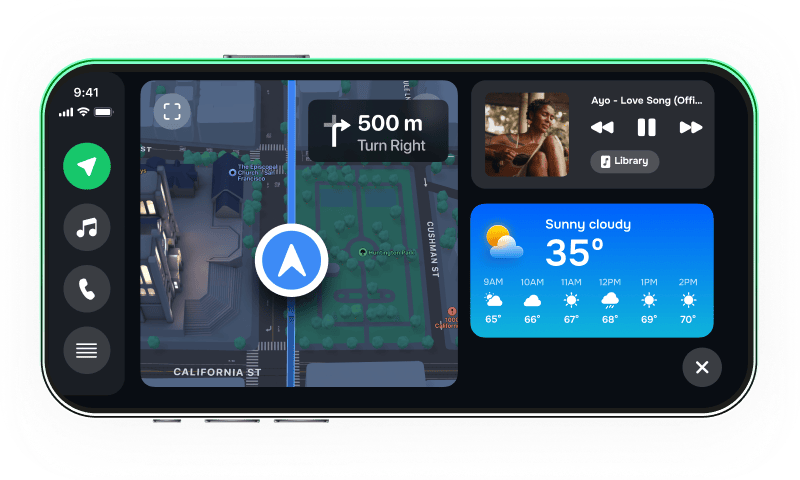
iPhone car dashboard
For Teslas, older cars, motorcycles — Mount Mode runs the dashboard on your iPhone when the car has no CarPlay.
A library of in-car sounds.
Pick yours tonight.
Sound packs out of the box. Drop your own .m4a if none fit. First swap takes 30 seconds — less time than this commute's next red light.