 Add Car Widgets
iPhone car dashboard
for Tesla and older cars.
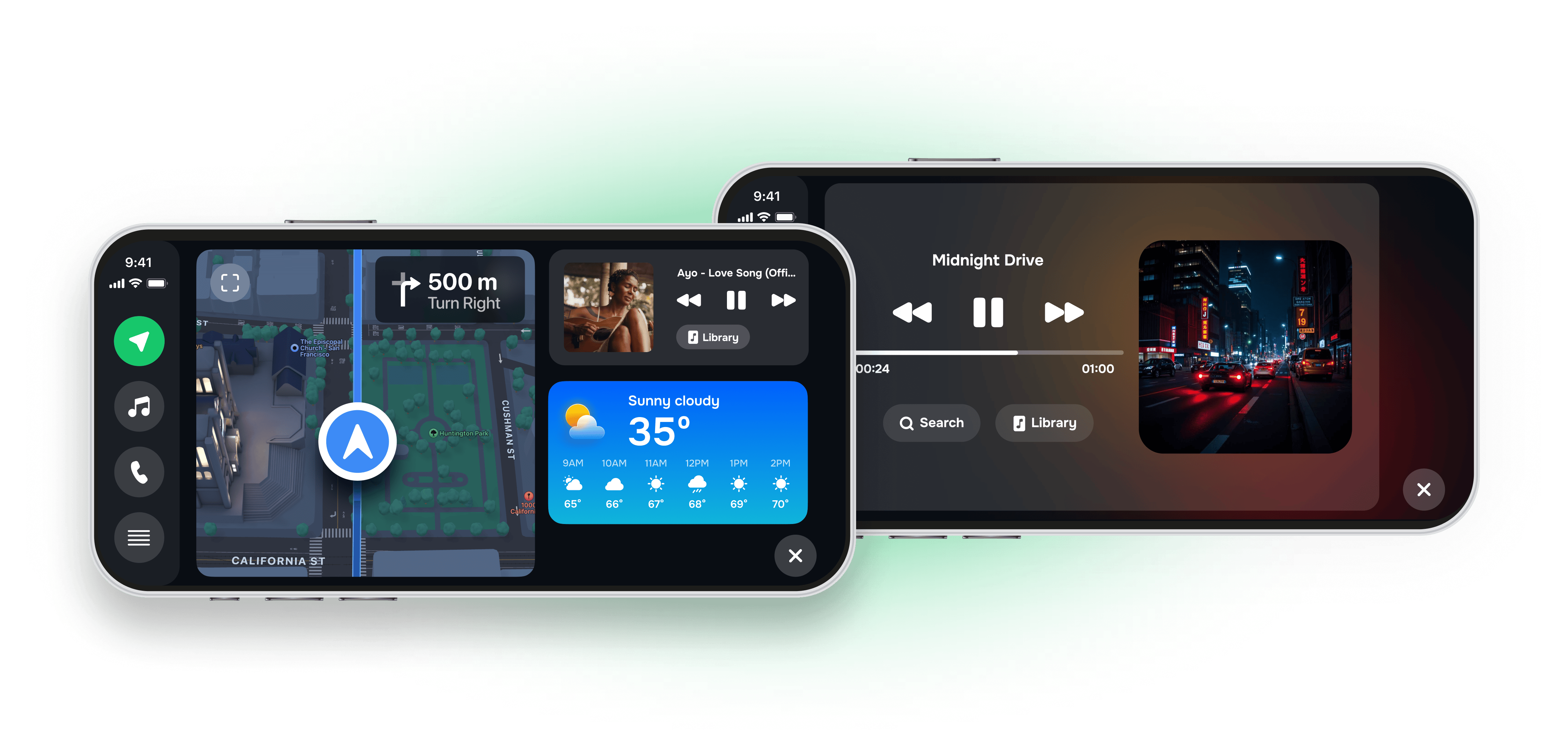
Can you get CarPlay on a Tesla? Not natively yet: Tesla announced CarPlay support in May 2026, but as of July 2026 the rollout is delayed and won't reach most Teslas built before 2024. For every Tesla on the road today (and every pre-2016 vehicle), Mount Mode turns your iPhone into a CarPlay-equivalent dashboard. Mount, plug in, drive.
Updated July 2026. Tesla CarPlay status tracked across Tesla's own May 2026 announcement and ongoing owner-forum reports — see the full Tesla CarPlay 2026 timeline.
Does Tesla have Apple CarPlay?
Short answer: No Tesla on the road today ships with native Apple CarPlay. Tesla announced CarPlay support in May 2026 with a planned windowed CarPlay panel implementation — limited to recent Hardware-4 Model 3 Highland (2024+), Model Y Juniper (2025+), and Cybertruck. Pre-2024 Teslas likely never get it. No firm ship date as of June 2026.
What actually works today (3 options ranked):
- Mount Mode (iPhone dashboard) — free, no Tesla modification, works in every Tesla model and year. Use Tesla's screen for car functions, your iPhone for Apple Music + Apple Podcasts + Apple Maps.
- Hardware CarPlay adapter (Carlinkit Tesla, Tesery) — $129-$199. Routes CarPlay through Tesla's built-in browser. Works, but disrupts cabin aesthetics and can affect resale value. Voids nothing officially, but Tesla has updated firmware to break similar workarounds before.
- Wait for official Tesla CarPlay — only relevant if you drive a 2024+ Hardware-4 Tesla. Pre-2024 models, plan for a permanent workaround.
What you actually get.
GPS speedometer
Bigger, brighter, more readable than what ships in many older dashboards. Configurable to mph or km/h, day/night auto-switching.
Driver-mode buttons
Touch targets sized for tap-without-looking. Volume, next-track, end-call — all where your thumb lands.
Maps integration
Apple Maps and Google Maps full-screen views with auto-rotate. Voice-only mode hides the screen when you don't need to look.
Hands-free dialing
Quick contacts grid. Tap once, dial. Picks up CarKit Bluetooth or auxiliary speakers automatically.
Music passthrough
Plays through Bluetooth or USB to anything. Spotify, Apple Music, Pandora — they keep their native UI; we just remap controls for the dashboard.
Trip log
Auto-records start/end, distance, top speed. Exports to CSV. For people who track business miles.
The closest thing to CarPlay in a Tesla.
Mount your iPhone in a vent or cup-holder mount. Mount Mode runs alongside Tesla's native UI — you use Tesla's screen for car functions, your iPhone for the things Tesla doesn't do well: Apple Music, Apple Podcasts, Apple Maps, Messages dictation, third-party podcast apps.
No head-unit upgrade required.
If your car has an aux jack or Bluetooth, Mount Mode works. If it has nothing, a $15 FM transmitter still gets your audio through. The visual dashboard is on your phone, not the car's console. Not sure whether your car already has CarPlay, or the newer CarPlay Ultra? Check the full list of CarPlay Ultra models first — Mount Mode is for everything that isn't on it.
No CarPlay? No problem.
The other things the app does.

CarPlay widgets for iOS 26
Car-brand logos, weather cards, clocks, photos, and air-quality tiles for the CarPlay home screen in iOS 26.
Custom CarPlay startup sound
Built-in presets across 7 packs, plus your own .m4a. Different sounds for connect and disconnect.
Synced CarPlay lyrics
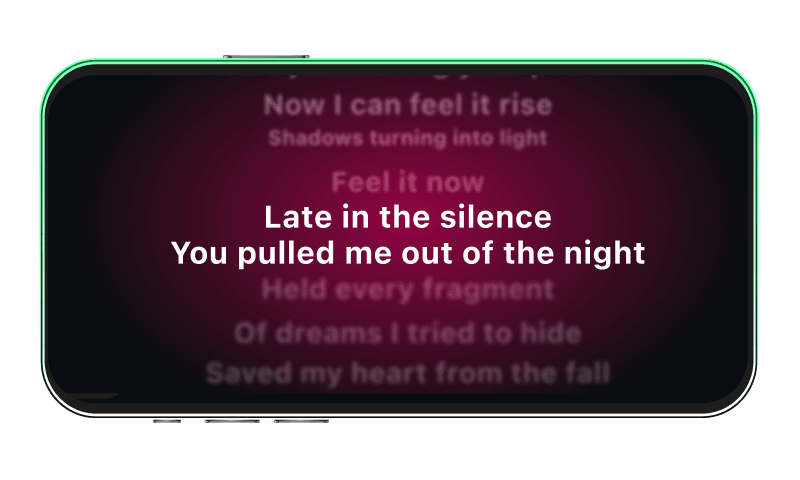
Time-coded karaoke lyrics on the CarPlay display for Apple Music and Spotify. The active line highlights as the song plays.
Frequently asked
Does Tesla have Apple CarPlay?
As of June 2026, no Tesla on the road ships with native Apple CarPlay. Tesla announced CarPlay support in May 2026, but the rollout is delayed by integration issues and will likely arrive first only on Hardware-4 Model 3 Highland (2024+), Model Y Juniper (2025+), and Cybertruck. Pre-2024 Teslas will likely never get it. Today, the workable solution is Mount Mode — your iPhone runs the dashboard alongside Tesla's native UI.
Will Tesla get CarPlay in 2026?
Tesla's May 2026 CarPlay announcement is real, but no shipping date has been confirmed. Industry trackers (Bloomberg, Tesla owner forums) expect Q3 2026 at earliest for new builds. If you drive a 2020-2023 Model 3 or Model Y, plan for Mount Mode as a permanent solution — Tesla has not committed to retrofitting older hardware.
Will Mount Mode work in a Tesla?
Yes. Mount Mode is built specifically for cars without native CarPlay, including all Tesla models. You mount the iPhone in a vent or cup-holder mount and use Mount Mode for the apps Tesla doesn't run natively — Apple Music, Apple Podcasts, Messages dictation, third-party podcast apps.
What's the best Tesla CarPlay adapter?
Hardware adapters (Carlinkit Tesla, Tesery) cost $129-$199 and route CarPlay through Tesla's browser — they work but disrupt the cabin and can void resale value. Mount Mode is the only free alternative that runs natively on your iPhone with no Tesla modification, no cable in the cabin, and no impact on Tesla warranty.
Does my car need to be CarPlay-compatible?
No. Mount Mode is the alternative for cars that don't have CarPlay at all — Tesla, most pre-2016 vehicles, rentals, motorcycles, scooters. The dashboard runs entirely on your iPhone. If your car has Bluetooth or an aux jack, audio passthrough works; if it has nothing, a $15 FM transmitter still gets your audio through.
Can I get CarPlay in a Model Y?
Not natively as of June 2026. Tesla's announced CarPlay rollout targets Model Y Juniper (2025+) first, but no firm date. For all 2020-2024 Model Ys, Mount Mode is the realistic path: mount the iPhone, use Apple Maps for navigation, Apple Music + Spotify for music, and Tesla's screen for car functions.
Can I use Mount Mode with any phone mount?
Yes. Mount Mode works with any standard iPhone car mount — vent, suction, dash, or cup-holder. The interface auto-rotates and adjusts brightness for day/night. We recommend a MagSafe-compatible mount for the most reliable hold.