 Add Car Widgets
Car dashboard symbols and meanings
Pick the shape of the light you see, then its colour, then your car's make. The tool narrows the 100+ dashboard warning symbols down to yours — and tells you what it means, how urgent it is, and what to do right now. Nothing leaves your browser.
Step 1 · What does the symbol look like?
Pick the symbol's shape to start — the tool narrows 100+ dashboard lights down to yours and tells you how urgent it is.
Meanings follow the ISO 2575 standard used across all major makes; the list of covered lights is being expanded. This tool tells you what a symbol means — it can't read or clear a fault code. For that you need an OBD-II scanner or a mechanic, and for model-specific lamps your car's owner's manual is the final word.
Light identified — now the drive itself
Car Play Connect won't clear the light. It makes the screen you glance at while you deal with it far more useful.
This tool tells you what the symbol means; a scan tool or mechanic clears the code. What the app fixes is the other half of the dashboard — Mount Mode turns a mounted iPhone into a big-tile, driver-safe display with a GPS speedometer, maps and now-playing, which is exactly what older cars (the ones with the most cryptic warning lights and no CarPlay) are missing. Free to try.

Car Play Connect: Auto Sync
4.6·2,300+ ratings·Free to try

Read the colour first, the shape second
Every dashboard light is designed to be triaged by colour before you even work out what the icon is. The tool leans on that, and it's the one thing a printed symbol chart can't do — a chart shows you 100 pictures; it can't tell you whether the one lit up right now means keep driving or pull over. Three bands cover it:
- Red — stop safely nowOil pressure, overheating, brakes, charging. Red is the car asking you to stop rather than finish the trip. The one exception is the airbag light, which is red but means “service soon.”
- Amber / yellow — service soonCheck engine, ABS, tyre pressure, low fuel. The car is drivable; book a shop. A flashing amber engine light is the exception that jumps to red-level urgency.
- Green / blue — information onlyTurn signals, headlights, high beam, cruise control. Nothing is wrong; a system is simply switched on.
If your car has no factory CarPlay and you're not sure whether it should, our CarPlay compatibility checker answers that by make and year, and Mount Mode is the workaround for the cars that come back a “no.”
The cars with the most cryptic dashboards are the ones the app helps most
Once you know what a light means, the fix is a scan tool or a mechanic — the app doesn't pretend otherwise. Where it earns its place is the screen you actually look at while driving. Older cars — the ones packed with unlabelled telltales and no Apple CarPlay — get nothing more than a small factory display. Mount your iPhone and Mount Mode turns it into a large, driver-safe dashboard: a GPS speedometer, maps, and now-playing in tiles you can read at a glance, without touching the car's hardware.
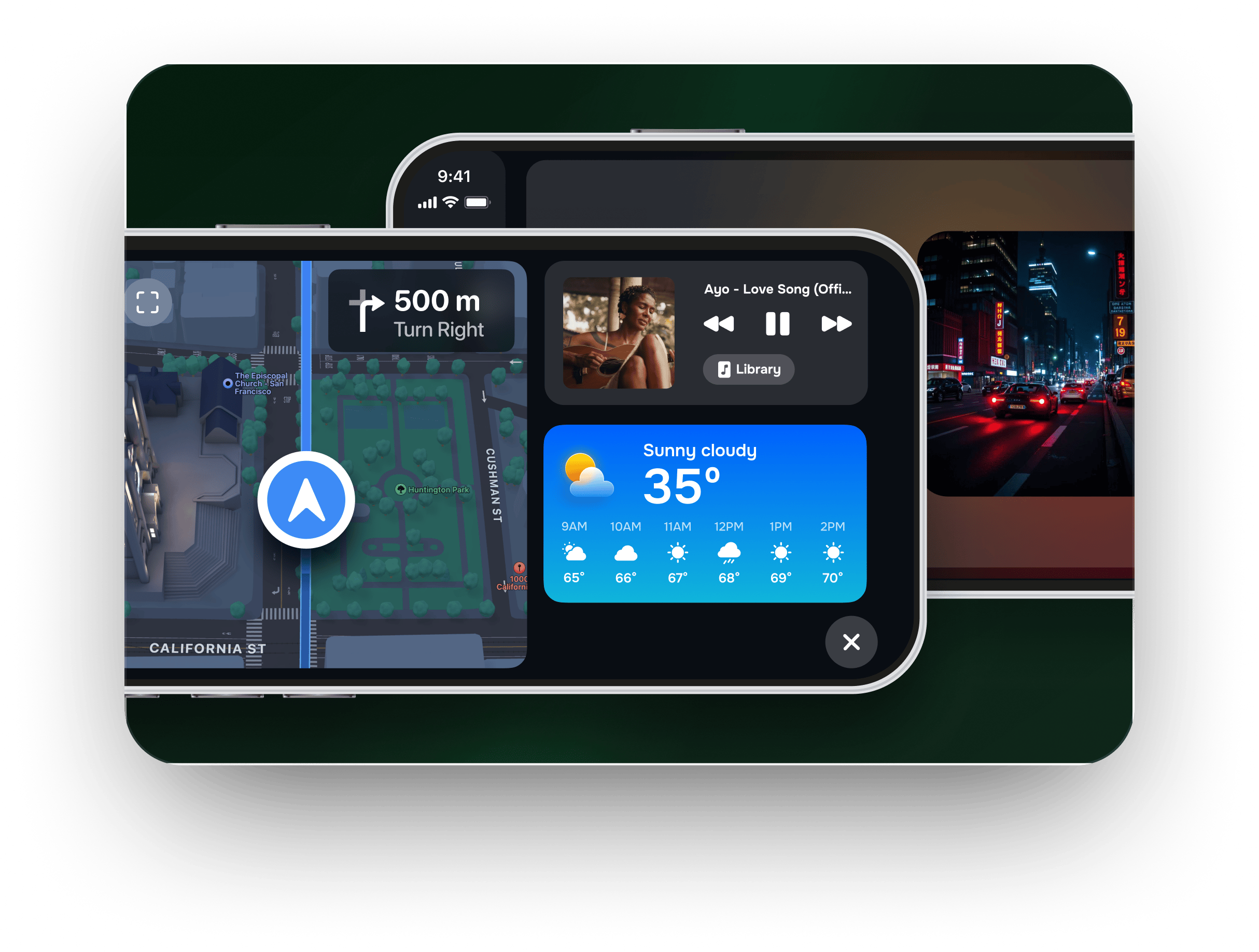
And if your car does have CarPlay, the app layers on the parts iOS leaves out — home-screen CarPlay widgets like a live GPS speedometer, weather and clock, plus a custom startup sound and synced lyrics.
For the screen you glance at every drive
A GPS speedometer, maps and music in big, readable tiles — on the phone you already mount.
Beyond warning lights: Car Play Connect gives older cars a large Mount Mode dashboard, and newer CarPlay cars home-screen widgets, a custom startup chime and synced lyrics. It doesn't diagnose faults — it makes the everyday driving screen far easier to read.
Car Play Connect: Auto Sync
Free to try
Frequently asked
What do the dashboard warning light colours mean?
Colour is the fastest read on any car and it follows a fixed convention. Red means act now — stop safely rather than finishing the trip (oil pressure, overheating, brakes, charging). Amber or yellow means the car is drivable but wants attention soon — book a shop, don't panic (check engine, ABS, tyre pressure, low fuel). Green or blue is status, not a warning: a system such as a turn signal, headlights or cruise control is simply switched on. The one honest exception is the airbag/SRS light, which is red but means 'service soon', not 'pull over'.
What does the battery light on my dashboard mean?
The red battery symbol is the charging-system warning, not a flat 12-volt battery. It means the alternator or its drive belt has stopped keeping the battery topped up, so the car is running on reserve and can eventually stall. Head straight to a mechanic or home while you still have charge, and switch off the stereo, heated seats and air conditioning to stretch the reserve. Don't park somewhere you can't restart. Pick 'Battery' and 'Red' in the tool above for the full what-to-do-now steps.
Are Nissan, Toyota and Hyundai dashboard symbols different from other cars?
For the common warning lights, no. Nissan, Toyota, Hyundai, Ford, Chevrolet, Honda, Jeep and every other major make use the same ISO 2575 standard symbols, so a red oil-pressure light or an amber tyre-pressure light means the same thing whatever the badge on the hood. What genuinely varies by make is the reset procedure and a small number of maker-specific lamps — your owner's manual lists those. That's why the tool asks for the make: it tailors the reset guidance rather than changing the core meaning.
Which dashboard warning lights mean I should stop driving immediately?
Treat these red lights as stop-safely-now: the oil-pressure warning (the oil can — switch the engine off to avoid destroying it), the coolant-temperature light (overheating — let it cool before you look), the brake-system warning with a soft or long pedal, and the charging/battery light (get somewhere safe before it stalls). A flashing check-engine light also counts, even though the icon is amber — it's an active misfire that damages the catalytic converter. The tool flags each result with a Stop / Service soon / Information band.
Is there a dashboard symbols chart or PDF I can use instead?
A printed chart or PDF lists every symbol at once and leaves you scanning 100+ icons. This tool does the opposite: you pick the shape and colour you actually see, and it narrows straight to your light plus how urgent it is and what to do — which a flat chart can't do because the urgency depends on the colour and, for a few lights, on whether it's flashing. For symbols specific to your exact model, your car's owner's manual remains the authority.
Other tools you can run right here.
Wireless CarPlay adapter picker
Pick your make and year — find out whether a wireless CarPlay adapter fits your car, which connector to buy, or whether you already have wireless and shouldn't bother.
CarPlay compatibility checker
Pick your make and year — get a plain yes/no on CarPlay, whether it's wired or wireless, and what to do if it isn't supported.
CarPlay startup sound maker
Upload a clip, trim it to the 5-second import limit, normalise and download a ready-to-add CarPlay startup sound — all in your browser.
Speedometer calibration calculator
Enter stock and new tire sizes plus a dash reading — get real speed, percent error, a 30–90 lookup table, or a GPS-vs-dash correction factor.
The other things the app does.

CarPlay widgets for iOS 26
Car-brand logos, weather cards, clocks, photos, and air-quality tiles for the CarPlay home screen in iOS 26.
Custom CarPlay startup sound
Built-in presets across 7 packs, plus your own .m4a. Different sounds for connect and disconnect.
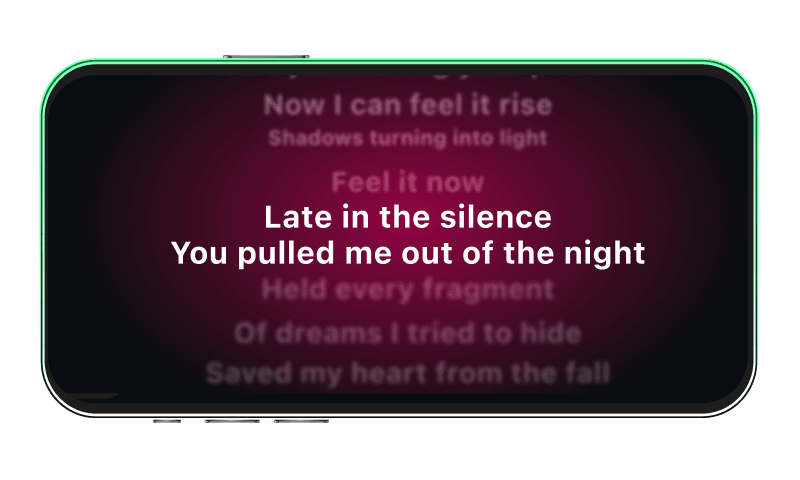
Synced CarPlay lyrics
Time-coded karaoke lyrics on the CarPlay display for Apple Music and Spotify. The active line highlights as the song plays.
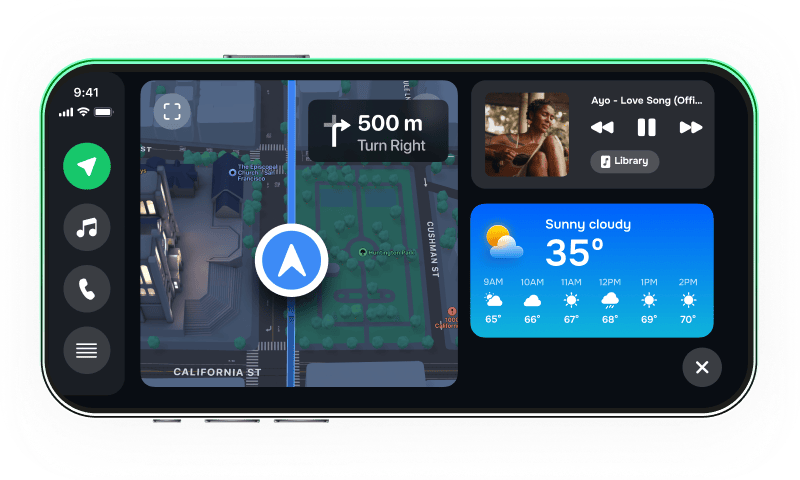
iPhone car dashboard
For Teslas, older cars, motorcycles — Mount Mode runs the dashboard on your iPhone when the car has no CarPlay.