 Add Car Widgets
Cars with Apple CarPlay: compatibility checker
Pick your car's make and year. The checker tells you whether it has Apple CarPlay, whether that CarPlay is wired or wireless, and whether it supports CarPlay Ultra — then what to do if it doesn't. No sign-up, nothing leaves your browser.
Step 1 · Find your car's make
Covers every make on Apple's official CarPlay list. Tesla and Rivian have no CarPlay.
Pick your make to get a definitive answer — CarPlay yes/no, wired or wireless, and Ultra.
Verdicts are computed from Apple's and each maker's published CarPlay timelines; exact availability still depends on trim and region. The make list now covers every brand on Apple's official model list; for anything still missing, the 30-second physical check below settles it.
You have your answer — now use it
Whichever way it landed, the app is what you install next.
CarPlay yes? Car Play Connect adds 11 home-screen widgets and a custom startup sound to the screen you already have. CarPlay no — Tesla, Rivian, or an EV? Its Mount Mode turns your mounted iPhone into a big-tile CarPlay-style dashboard. Free to try.

Car Play Connect: Auto Sync
4.6·2,300+ ratings·Free to try

The 30-second physical check
The checker answers by make and year. To confirm on the actual car — in a driveway or a dealer lot — three tells settle it in under a minute, and they beat any listing's “CarPlay compatible” claim, which sometimes just means Bluetooth:
- 1. Look at the USB portsA small phone-and-car icon (the CarPlay logo) printed next to a port means CarPlay is built in. The data port is usually the one nearest the center screen; others may be charge-only, which is the number-one reason a supported car “won't connect.”
- 2. Search the infotainment settingsPower to accessory mode and search the menu for “CarPlay,” “Apple CarPlay,” or “Smartphone Integration.” If it's listed, you're set.
- 3. Plug in an iPhoneIf CarPlay is supported, a prompt appears within a few seconds asking to allow it. If nothing turns up on any of the three, the car likely has no factory CarPlay.
For the full brand-by-brand breakdown and the retrofit routes in depth, see which cars have Apple CarPlay, the cars with CarPlay Ultra list, and — if you're wired-only — the best wireless CarPlay adapter guide. And if it's a warning light on the dash you're trying to decode, not the CarPlay port, our dashboard symbol identifier narrows it down by shape and colour.
No CarPlay? The app is the workaround
If the checker returned a holdout — a Tesla, Rivian, or one of GM's newest EVs with a locked-in screen — you can't add factory CarPlay. What you can do is mount your iPhone and run a CarPlay-style dashboard on the phone itself. That's exactly what Mount Mode does: a big-tile, driver-safe layout with maps, now-playing, and a GPS speedometer, without touching the car's hardware.
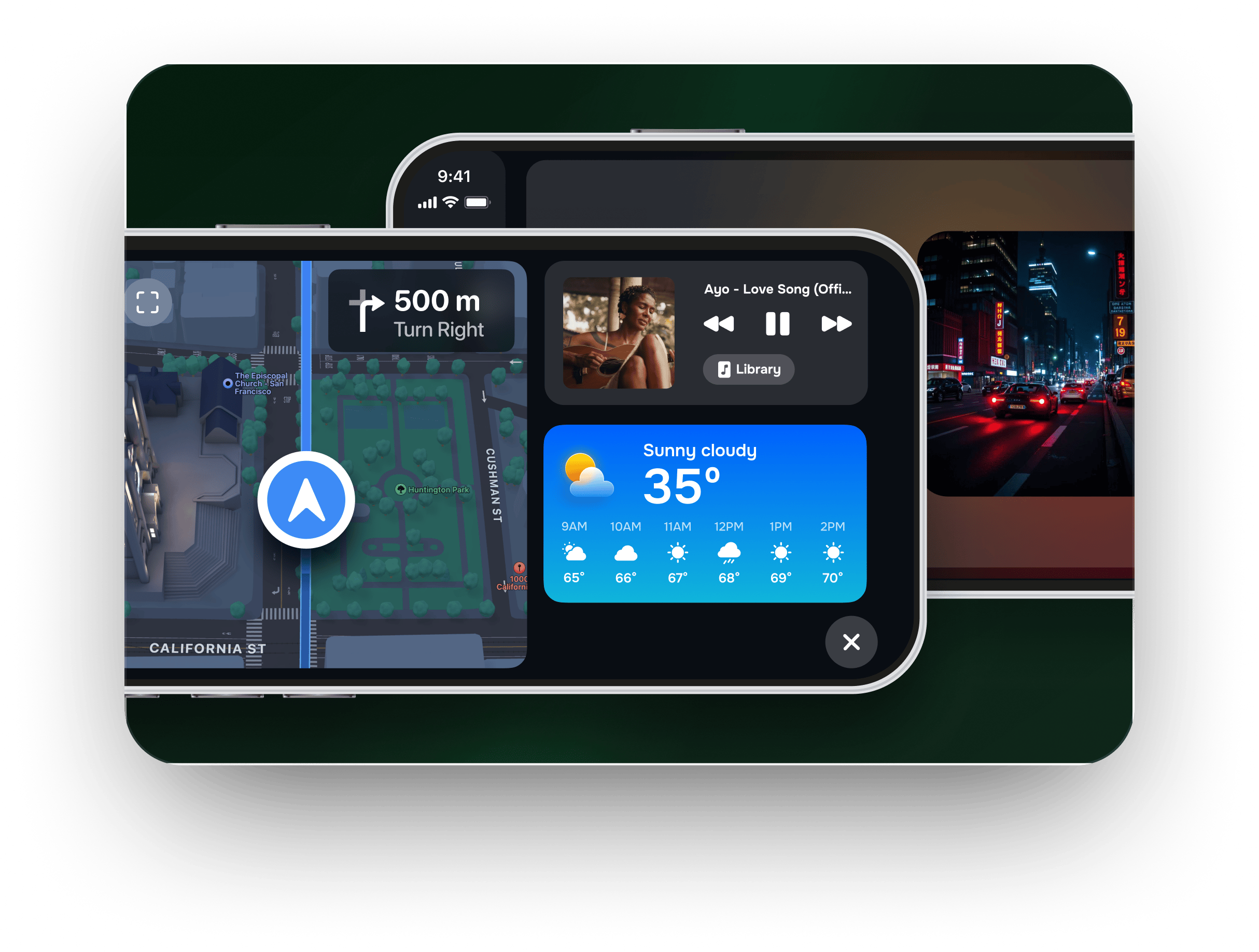
And if the checker said yes? CarPlay by itself is a fixed grid of app icons. Car Play Connect layers on the parts iOS leaves out — home-screen CarPlay widgets, a custom startup sound, and synced lyrics — so the screen you just confirmed does more than route you home.
What the app adds to a confirmed car
One sound on connect, 11 widgets while you drive, lyrics in sync.
Beyond the compatibility answer: photo, weather, clock, music and GPS-speedometer widgets on the iOS 26 CarPlay home screen, a custom startup chime, Musixmatch-synced lyrics, and Mount Mode for the cars that scored a no.
Car Play Connect: Auto Sync
Free to try
Frequently asked
Does my car have Apple CarPlay?
Almost every car sold new since 2019 from a major brand — Toyota, Honda, Ford, Hyundai, Kia, BMW, Mazda, Mercedes, VW and more — has Apple CarPlay as standard. The checker gives you a year-by-year answer for your make; the physical shortcut is to look for the CarPlay logo on a USB port, or search the infotainment settings for “CarPlay.” The only mainstream brands with no CarPlay at all are Tesla and Rivian — Lucid, once a holdout, now appears on Apple's CarPlay list.
Which cars have CarPlay Ultra?
As of 2026 the only cars shipping CarPlay Ultra are recent Aston Martins — the DB12, Vanquish, and DBX S. Hyundai, Kia, and Genesis are confirmed to add it next, likely from late 2026. Every other new car runs regular CarPlay, which controls the center screen only; Ultra also takes over the instrument cluster and can't be retrofitted onto an older car.
Is Apple CarPlay wired or wireless in my car?
It depends on the model year. Most cars from about 2016 to 2020 use wired CarPlay over USB, while many 2021-and-newer models added wireless CarPlay over Wi-Fi and Bluetooth. The checker flags the likely answer for your make and year. If your car is wired-only, a wireless CarPlay adapter adds wireless without changing anything else.
What if my car doesn't have Apple CarPlay?
You have two honest routes. If the car has a standard-size radio you can remove, an aftermarket Pioneer, Kenwood, Sony, or Alpine head unit adds CarPlay for roughly $300–$800 installed. If the screen is locked in — as it is on most EVs, Teslas, and Rivians — mount your iPhone and run a CarPlay-style dashboard with Mount Mode instead.
Do all new cars come with Apple CarPlay?
Almost all of them do. CarPlay is standard on nearly every new gas or hybrid car sold in 2026. The exceptions are Tesla and Rivian (which have never offered it) and some of GM's newest electric models — the Blazer EV and Equinox EV — which GM dropped in favor of its own system. Lucid, an earlier holdout, has since been added to Apple's CarPlay list. Base trims can also leave it off, so confirm the trim.
Other tools you can run right here.
Wireless CarPlay adapter picker
Pick your make and year — find out whether a wireless CarPlay adapter fits your car, which connector to buy, or whether you already have wireless and shouldn't bother.
Dashboard warning light identifier
Match the shape and colour of a dashboard symbol to the standard warning light it maps to, plus how urgent it is and what to do now.
CarPlay startup sound maker
Upload a clip, trim it to the 5-second import limit, normalise and download a ready-to-add CarPlay startup sound — all in your browser.
Speedometer calibration calculator
Enter stock and new tire sizes plus a dash reading — get real speed, percent error, a 30–90 lookup table, or a GPS-vs-dash correction factor.
The other things the app does.

CarPlay widgets for iOS 26
Car-brand logos, weather cards, clocks, photos, and air-quality tiles for the CarPlay home screen in iOS 26.

Custom CarPlay startup sound
Built-in presets across 7 packs, plus your own .m4a. Different sounds for connect and disconnect.
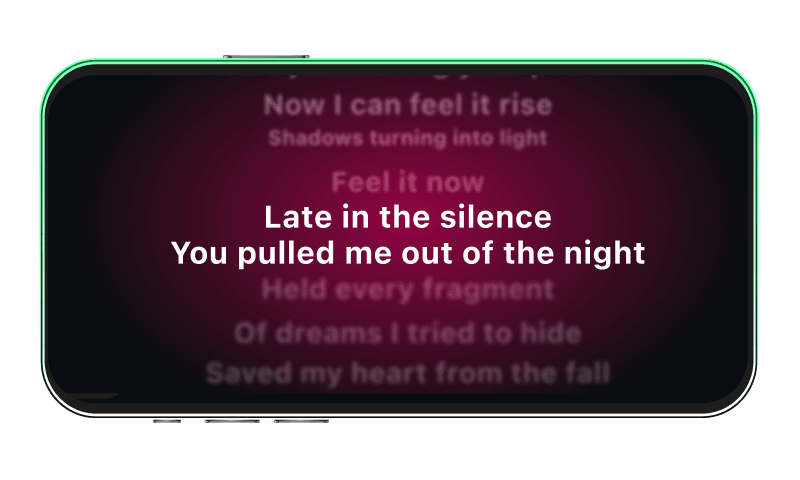
Synced CarPlay lyrics
Time-coded karaoke lyrics on the CarPlay display for Apple Music and Spotify. The active line highlights as the song plays.
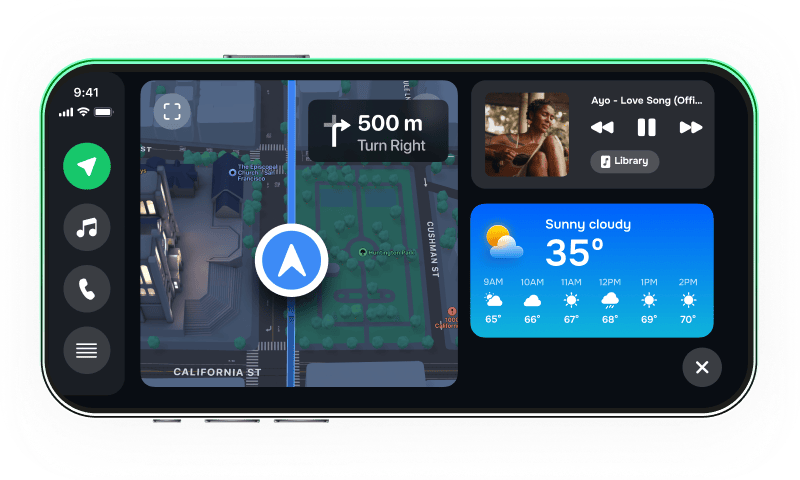
iPhone car dashboard
For Teslas, older cars, motorcycles — Mount Mode runs the dashboard on your iPhone when the car has no CarPlay.