On this page▾
A portable CarPlay screen is a small aftermarket display you mount and pair with your iPhone so maps, calls, and music appear on that screen. Cars without built-in Apple CarPlay use these units. You can also skip the extra hardware and run the same job on the iPhone itself with Car Play Connect Mount Mode.
I keep two reference cars for this: a 2014 Honda Civic and a 2022 Tesla Model Y. The Civic never shipped with factory CarPlay. The Tesla still has none on the road as of July 2026. For the Civic I mount an iPhone 15 on the dash. For the Tesla I leave the big screen for car controls and use the phone for Apple Music, Apple Podcasts, and Apple Maps.
The 30-second test
Answer one question before you buy anything: does the car already show the CarPlay icon on its own head unit?
- Yes, factory CarPlay is there — skip the portable screen. Use the dash you already paid for.
- No, and you want a second display — a portable CarPlay screen is the hardware path.
- No, and you do not want another box — mount the iPhone and run Car Play Connect Mount Mode.
One mix-up burns money. A wireless adapter is not a portable screen. An adapter needs a factory wired CarPlay port. A portable screen is the display itself.
Build your CarPlay
Try the iPhone dashboard first
Car Play Connect Mount Mode turns a mounted iPhone into a CarPlay-equivalent dash for Tesla and pre-2016 cars. Free to download; the full set is $19.99/year.

Car Play Connect: Auto Sync
4.6·2,735+ ratings·Free


Method 1: Mount a portable CarPlay screen
Buy a stand-alone display, stick it on the dash or glass, and pair the iPhone. Maps, calls, and music then land on that panel instead of the phone. People pick this path when they want a larger tile than a phone and the factory radio has no CarPlay.
Brand menus are not the same, and I have not confirmed one vendor's 2026 firmware path for this article. Follow the card in the box for button names. The physical order below is the part that stays stable.
- Park, engine off. Fix the unit so it does not block the windshield view. Check local mount rules before you cover glass.
- Plug the screen into a 12V socket. Wait until the logo appears — usually under 30 seconds.
- Unlock the iPhone. Turn on Bluetooth and Wi-Fi. Wireless CarPlay finds the display on Bluetooth, then carries the session on Wi-Fi.
- Accept the pair prompt. Apple's CarPlay support article covers the official iPhone-side connect flow.
- Play a map, a call, and one song. If those three work, the screen is doing its job.
When this path fails: the cigarette socket is loose, the iPhone stays locked on first pair, or the unit never shows a CarPlay logo. Jump to Fix 1. A portable screen also adds another thing to power, aim, and steal. I skip the extra box in daily Civic use for that reason.
Method 2: Use your iPhone as the dashboard
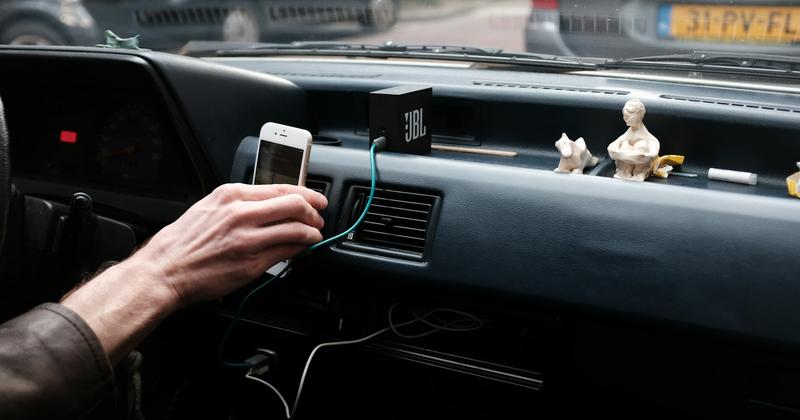
Mount the iPhone and run a CarPlay-style dash on the phone itself. Car Play Connect Mount Mode is built for Tesla and every pre-2016 vehicle. No Tesla modification. No second screen to buy. Plug in, mount, drive.
Tesla owners get a clean split. The car screen stays on Tesla controls. The iPhone handles Apple Music, Apple Podcasts, and Apple Maps. Pre-2024 Teslas likely never get factory CarPlay. Waiting only matters on a 2024+ Hardware-4 Model 3 Highland, Model Y Juniper, or Cybertruck. Even those had no firm ship date as of June 2026.
- Install Car Play Connect: Auto Sync from the App Store. The app is free to download. iOS 16.3 is the floor.
- Seat the iPhone in a firm cradle. Plug it in so the battery does not die mid-route.
- Open Mount Mode. Set the GPS speedometer to mph or km/h. Day/night can switch on its own.
- Use the driver-mode buttons for volume, next-track, and end-call. Targets sit where a thumb lands.
- Open Apple Maps or Google Maps full screen. Voice-only mode hides the map when you do not need to look.
Hands-free dialing sits on a quick contacts grid: tap once, dial. CarKit Bluetooth or aux carries the audio. CarPlay widgets on iOS 26 still apply in a factory CarPlay car. Add them under Settings → CarPlay → Customize → Widgets.
Limit I will own: Mount Mode does not paint CarPlay onto Tesla's center screen. The phone is the dash. If you want a second glass panel in the cabin, Method 1 is the hardware route.
Build your CarPlay
Set a connect sound on the same install
After Mount Mode is on, pick a connect chime in Sounds → Connect Sound. Widgets are a separate CarPlay feature — add them in Settings → CarPlay → Customize → Widgets on a factory CarPlay car.
Car Play Connect: Auto Sync
Free
Method 3: Use the car's built-in CarPlay
Factory CarPlay is the cleanest setup when the head unit already has it. No extra display. No extra 12V lead. The car screen you already stare at does the job.
Apple's CarPlay page is the place to check whether a model year listed CarPlay as a factory option. Wired cars use a USB cable. Wireless cars pair on Bluetooth, then ride Wi-Fi for the session.
- Park. Unlock the iPhone.
- Plug into the CarPlay USB port, or open the wireless CarPlay prompt on the head unit.
- Accept the pair. Wait about 5 seconds on a cable. Wireless takes a little longer.
- Confirm maps, a call, and music on the factory screen. Then put the phone away.
When this path is closed: Teslas on the road today, and most cars built before 2016, have no factory CarPlay. A portable screen or Mount Mode is the real choice there. Do not buy a wireless adapter expecting it to create CarPlay in a car that never had the USB CarPlay port.
Fix 1: When the portable screen will not connect
Start with power, then the first pair, then a forget-and-retry. Work the list in that order. Skipping to a factory reset on the iPhone wastes time.
- Wiggle the 12V plug. Try a second socket if the car has one. No logo after 30 seconds means the screen is not booting.
- Unlock the iPhone. Keep it awake for the first pair. A locked phone often never shows the CarPlay prompt.
- Toggle Bluetooth and Wi-Fi off. Wait 10 seconds. Turn both back on.
- Open Settings → CarPlay. Tap the display name and remove it. Pair again from scratch.
- Try a cable if the unit has a USB port. Wireless noise in a dense parking garage can stall the Wi-Fi hop.
Still dead after that? The unit itself is the suspect. The iPhone is fine if it still pairs to AirPods or a known factory CarPlay car. Return the screen rather than chasing iOS settings that are not broken.
Portable screen vs iPhone vs factory CarPlay
Side-by-side, so the buy decision stays honest. Prices for generic portable screens are not listed here — I have not confirmed a 2026 street price for a named unit in this article.
| Question | Portable CarPlay screen | iPhone + Mount Mode | Factory CarPlay |
|---|---|---|---|
| Needs factory CarPlay in the car? | No | No | Yes |
| Works in every Tesla on the road today? | As a second display, yes | Yes — no Tesla change | No, not shipping as of July 2026 |
| Works in a pre-2016 car? | Yes, if the unit pairs | Yes | Usually no |
| Extra hardware to buy | The display + mount + 12V lead | Phone cradle only | None |
| Maps, calls, music from iPhone | Yes, on the extra screen | Yes, on the iPhone | Yes, on the car screen |
| GPS speedometer / driver buttons | Depends on the brand | Yes in Car Play Connect | Car's own cluster |
| Widgets on iOS 26 | If the unit hosts CarPlay | Later, on a factory CarPlay car via Settings → CarPlay → Customize → Widgets | Settings → CarPlay → Customize → Widgets |
| Typical cash outlay | Not confirmed here | App free; $19.99/year for the full set | Already in the car |
Tesla shoppers who still want CarPlay on the car's own glass can look at hardware adapters such as Carlinkit Tesla and Tesery — I have not confirmed a current 2026 price for either, so no number here. Those route through Tesla's browser. Firmware has broken similar workarounds before. Mount Mode avoids that fight.
Frequently Asked Questions
What is a portable CarPlay screen?
A portable CarPlay screen is a small aftermarket display you mount in the car and pair with your iPhone. Maps, calls, and music run from the phone onto that screen. People buy one when the factory dash never shipped with Apple CarPlay. Power usually comes from the 12V socket. Brand menus differ, so follow the card in the box. Skipping the extra screen and using the iPhone itself is the other path.
Do Teslas have Apple CarPlay?
No Tesla on the road today ships with native Apple CarPlay. Tesla announced CarPlay in May 2026 for some Hardware-4 models. As of July 2026 the rollout is delayed and will not reach most Teslas built before 2024. Mount Mode on the iPhone works in every Tesla year. Hardware adapters such as Carlinkit Tesla and Tesery are the other route onto the car's own screen — pricing has moved around too much to quote a number here. Waiting is only relevant on a 2024+ Hardware-4 Tesla.
Why is my CarPlay not connecting on a portable screen?
Power and the first pair are the usual fail points. Give the screen a firm 12V feed and unlock the iPhone before you start pairing. Toggle Bluetooth and Wi-Fi off, wait 10 seconds, then turn both back on. Forget the display under Settings → CarPlay and pair again. A worn cigarette socket or a unit that never shows the CarPlay logo is a hardware problem, not an iPhone setting.
How do I disconnect from CarPlay on a portable screen?
Unplug the screen power lead or switch the unit off to end the session. To drop the pairing, open Settings → CarPlay, tap the display name, and remove it. Wireless units also drop when you leave Bluetooth and Wi-Fi range. Park first, then tap. The same path works on a factory CarPlay head unit if you want the phone to forget that car.
How do I customize Apple CarPlay on a portable screen?
Add widgets in Settings → CarPlay → Customize → Widgets on iOS 26. Car Play Connect ships weather, clocks, air quality, battery, year progress and photos. The gallery also has an AI Photo Widget, a MyCard car portrait, logos, affirmations, faith verses, football crests and flags. Set a connect sound in Sounds → Connect Sound. Dynamic Lyrics needs a time-coded track on Apple Music or Spotify.
What is CarPlay?
Apple CarPlay puts iPhone navigation, music, calls, and messages on a car display. The phone does the work; the screen only shows it. Apple publishes the official overview on its CarPlay page. A portable unit is one of those screens. A factory head unit is another. Teslas and many pre-2016 cars have neither, which is why people look for a portable CarPlay screen or an iPhone dashboard.
Related guides
- iPhone dashboard for Tesla and older cars — Mount Mode when the car has no factory CarPlay.
- CarPlay widgets for iOS 26 — weather, clocks, battery and more on the CarPlay widget row.
- Custom CarPlay startup sound — a connect chime in about 30 seconds.
- Dynamic Lyrics for CarPlay — karaoke-style lines on Apple Music or Spotify.
- All CarPlay guides — setup, widgets, and car-by-car help.