Add Car Widgets
On this page▾
- The 30-second fit check
- Aluratek adapter vs the alternatives at a glance
- Step 1: Confirm your car has wired CarPlay
- Step 2: Plug in and pair the Aluratek adapter
- Step 3: Let it reconnect automatically each drive
- Fix 4: When the Aluratek adapter won't connect
- Method 5: No factory CarPlay? Mount your iPhone instead
- Frequently Asked Questions
Quick answer
The Aluratek Wireless Adapter for Apple CarPlay (model AWCPA01FB) plugs into your car's USB port and turns factory wired CarPlay into wireless CarPlay. It lists for $39.99 on Aluratek's store (checked 2026-10-09), needs no app, and works with an iPhone 5 or later on iOS 10 or newer per that same product page. Your car must already have wired CarPlay built in.
No factory CarPlay to convert?
A free CarPlay-style screen you can try tonight
If your car never had wired CarPlay, no adapter can add it — but Car Play Connect's Mount Mode turns the iPhone you already own into a CarPlay-style dashboard with maps, a GPS speedometer, driver-mode buttons, and hands-free dialing. Free to download before you spend $40 on hardware that won't fit.

Car Play Connect: Auto Sync
4.6·2,735+ ratings·Free


Plug-and-play dongles generally behave the same way: the first pairing takes 15 to 30 seconds, then the box reconnects on its own each drive. Per Aluratek's product page, the AWCPA01FB matches that pattern — 5 GHz Wi-Fi, a USB-A plug, and a USB-C adapter in the box.
The 30-second fit check
Before you buy or plug anything in, confirm the adapter can actually help. It takes half a minute and points you to the right step below.
- Your car has factory wired CarPlay. Plug your iPhone in with a cable. If the CarPlay home screen loads, the Aluratek can make that link wireless. This is the one hard requirement.
- You have an iPhone 5 or newer on iOS 10 or later. Aluratek lists that as the floor. Any iPhone from the last decade clears it.
- Your car has no CarPlay at all. The adapter can't add it — it only cuts the cable on CarPlay that's already there. Skip to Method 5.
New to these dongles? Read how a wireless CarPlay adapter works first, then come back here to set the Aluratek up.
Aluratek adapter vs the alternatives at a glance
Here's how the Aluratek stacks up against its own combo model and the no-hardware route, so you can pick before you buy:
| Option | Needs factory wired CarPlay? | Connects via | Roughly | Best for |
|---|---|---|---|---|
| Aluratek Wireless (Apple only, AWCPA01FB) | Yes | USB-A/USB-C, 5 GHz Wi-Fi | $39.99 | An iPhone-only car that already has wired CarPlay |
| Aluratek Combo (AWCGD02F) | Yes | USB, 5 GHz Wi-Fi | Varies | A household mixing iPhone and Android phones |
| Mounted iPhone (Mount Mode) | No | Phone runs its own screen | Free to download | A car with no CarPlay at all |
The Apple-only AWCPA01FB is the one that matches the search for “Aluratek wireless adapter for Apple CarPlay.” Pick the combo AWCGD02F only if someone in the house drives on Android Auto too. Shopping around? The AutoSky adapter is a close rival at a similar price, with a cheaper dual-band Pro model, and the Rexing CPW-1 is another single-model option with an 18-month warranty. The Jemluse wireless CarPlay adapter is a third single-model option worth comparing.
Step 1: Confirm your car has wired CarPlay
The adapter converts a connection that already exists. So the first job is proving your car has it.
- Grab a known-good USB data cable — the one that came with your iPhone is safest.
- Plug the iPhone into your car's USB port and unlock the phone.
- Watch the car screen. If CarPlay loads within about 10 seconds, you're set.
- Note which USB port worked. Many cars keep one data port and one charge-only port.
When this won't work: if plugging in with a cable never brings up CarPlay, your car doesn't have it, and the Aluratek can't create it. That's a Method 5 situation, not an adapter one. Not sure what your car shipped with? The list of cars with Apple CarPlay settles it by make and year.
Step 2: Plug in and pair the Aluratek adapter
With wired CarPlay confirmed, the box does most of the work. It needs no app.
- Plug the Aluratek into the same data USB port that loaded CarPlay in Step 1. Use the bundled USB-C adapter if your port is USB-C.
- Wait 15 to 30 seconds for the adapter to boot and create its 5 GHz link.
- On the iPhone, open Settings → Bluetooth and pair with the adapter when it appears.
- Tap Allow or Use CarPlay on the prompt. Wireless CarPlay loads on the car screen.
When this won't work: a charge-only port is the usual culprit. If nothing happens, move the adapter to the other USB port and try again. Keep the phone near the dash for this first pairing.
Step 3: Let it reconnect automatically each drive
Once paired, you shouldn't have to touch it again. This is the payoff over a cable.
- Leave the adapter plugged into the port. Treat it as a permanent fixture, not something you unplug.
- Start the car with the iPhone in your pocket or a mount — no need to fish out a cable.
- Wait about 20 seconds. The adapter wakes, finds the phone, and loads CarPlay on its own.
- If you swap phones, pair the new one under Settings → Bluetooth the same way.
When this won't work: cold mornings and a phone left in another room both slow the handshake. Give it a full 30 seconds before assuming it failed. If it still stalls, run the fixes below.
Once CarPlay is wireless
Get more onto the CarPlay screen
The adapter frees you from the cable, but the CarPlay layout is still Apple's. Car Play Connect adds car-tuned widgets, a custom startup sound, and synced lyrics on top of the CarPlay screen you just made wireless. Free to download.
Car Play Connect: Auto Sync
Free
Fix 4: When the Aluratek adapter won't connect
If the adapter loads once but drops, or never appears, work through these in order. They fix most cases.
- Swap the USB port first. A charge-only port gives power but no data. This alone fixes a lot of dead links.
- Forget and re-pair. On the iPhone, go to Settings → General → CarPlay, remove the adapter, then pair again from scratch.
- Restart both. Turn the car fully off and on, and restart the iPhone.
- Check the basics. Confirm the iPhone runs iOS 10 or later and that only one phone is actively paired — a second paired phone can grab the slot.
When this won't settle it: if wired CarPlay also fails with a plain cable, the fault is the car or the phone, not the adapter. The full walkthrough in why Apple CarPlay isn't working covers the rarer causes, from a USB restriction setting to Siri being switched off.
Method 5: No factory CarPlay? Mount your iPhone instead
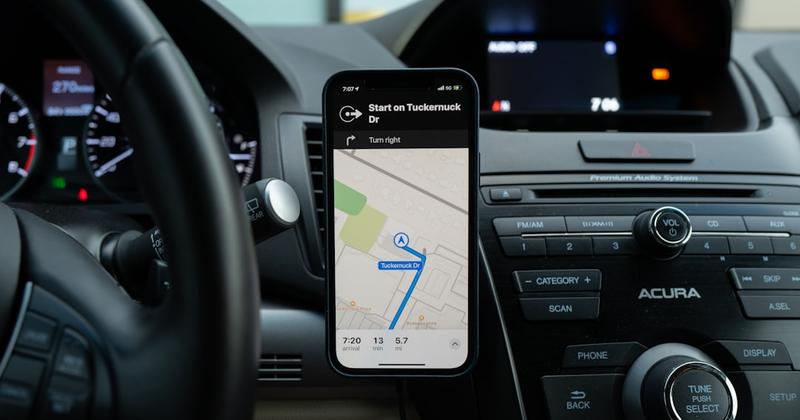
If Step 1 proved your car has no wired CarPlay, stop shopping for adapters — none of them can add it. The cheapest screen is the iPhone in your hand. Mount it and run a dashboard app, and you get a CarPlay-style display with no dongle at all. It's the same route Tesla drivers take, since a Tesla can't get native CarPlay. Car Play Connect's Mount Mode is built for exactly this.
- Put the iPhone in any car mount: vent, suction, or dash.
- Open Car Play Connect and switch on Mount Mode.
- You get maps, a GPS speedometer, driver-mode buttons, and hands-free dialing on the phone screen.
- Send audio to the car over Bluetooth, or a cheap FM transmitter if it has none.
The honest limit: a mounted iPhone won't drive the car's built-in display or steering-wheel buttons. But when there's no wired CarPlay to convert, it turns any mount into a real driver screen, and it's free to download before you spend on hardware. For the older-car angle, see CarPlay for older cars.
Frequently Asked Questions
Does the Aluratek adapter work in any car?
No. The Aluratek Wireless Adapter for Apple CarPlay only works in cars that already have factory wired CarPlay. Aluratek's own FAQ says the adapter “does not give you” CarPlay — it just makes the existing wired link wireless. If a USB cable doesn't bring up CarPlay in your car, the adapter can't either.
How much is the Aluratek Wireless Adapter for Apple CarPlay?
The Apple-only model, AWCPA01FB, lists for $39.99 on Aluratek's official store. That price covers the adapter, the attached USB-A plug, and a USB-C adapter in the box. The combo model that also runs Android Auto (AWCGD02F) is a separate, higher-tier product.
Do I need an app for the Aluratek adapter?
No. Aluratek sells it as plug-and-play with no app to download. You plug it into the car's data USB port, pair the iPhone once under Settings → Bluetooth, and CarPlay loads on the car screen. There's no companion app, account, or subscription tied to the hardware itself.
Does the Aluratek adapter work with Android Auto?
The Apple-only AWCPA01FB does not — it's built for iPhone and Apple CarPlay. Aluratek makes a separate combo adapter, the AWCGD02F, that adds Android Auto for Android phones. Match the model to your phone: buy the Apple-only unit for an iPhone-only car, the combo for a mixed household. If there's no iPhone in the house at all, neither Aluratek model helps — Apple CarPlay doesn't run on Android phones, so see our Android CarPlay guide for the routes that actually work there.
Why does my Aluratek adapter keep disconnecting?
Most drop-outs trace to the USB port or a crowded pairing list. Move the adapter to the car's data port, not a charge-only one. Then forget it under Settings → General → CarPlay and re-pair. Make sure only one phone is actively connected, since a second paired iPhone can steal the 5 GHz link.
What iPhone do I need for the Aluratek adapter?
You need an iPhone 5 or later running iOS 10 or newer, per Aluratek's spec sheet. Every iPhone from the last decade clears that bar, so this rarely blocks anyone. The bigger requirement is the car side: it must already have factory wired Apple CarPlay for the adapter to convert.
Whichever way you get CarPlay running, you can still do more with the screen. Car Play Connect adds car-tuned widgets, a custom startup sound, and a Mount Mode dashboard for drivers without factory CarPlay. Want another single-model pick? Compare the Rexing CPW-1 setup guide, the Jemluse adapter setup guide, the AutoSky Pro Slim setup guide, or the Ottocast U2Air Pro setup guide. Need wireless Android Auto too, not just CarPlay? See our wireless CarPlay and Android Auto adapter guide for how to choose, or go straight to the Pyle wireless CarPlay & Android Auto adapter setup guide for the dual-platform Android box. Want the hardware details straight from the source? Read Aluratek's official product page and Apple's CarPlay overview.