On this page▾
- The 30-second test
- Method 1: Check the phone rule for your WA P-plate
- Method 2: Mount your iPhone so CarPlay is hands-free
- Method 3: Control CarPlay with Siri and the wheel
- Method 4: Set up the CarPlay screen before you drive
- P-plate phone rules by state: WA, VIC and NSW
- Hands-free vs holding your phone
- Frequently Asked Questions
- Related guides
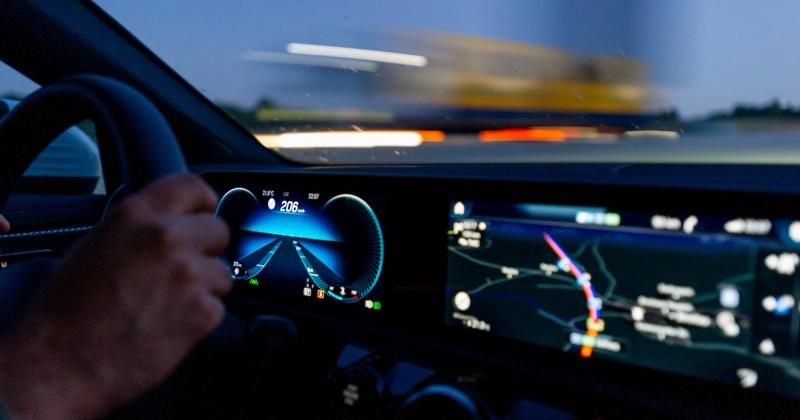
Yes. WA doesn't add a special phone rule for P1 or P2 drivers on top of the standard conditions, so you can use Apple CarPlay on a P-plate the same way a full-licence driver does: iPhone mounted, driven fully hands-free through the car's screen, Siri, and steering-wheel buttons. Never hold or touch the phone while moving.
I helped set this up on a red-P driver's 2019 Mazda 2 with an iPhone 13. The phone slid straight into a vent mount. CarPlay connected wired in about 5 seconds. Every tap after that happened parked — once we drove off, only Siri and the wheel buttons did the work.
The 30-second test
Before you pull out of the driveway, ask two quick questions.
- Is the iPhone in a mount or dashboard cradle, not in your lap or hand?
- Can you start maps and music with your voice, without reaching for the phone?
Two yes answers mean you are set up hands-free. A phone loose on the seat is the setup that gets P-platers fined. Fix the mount first, then worry about widgets.
Build your CarPlay
Set the CarPlay screen up before you drive
Car Play Connect adds weather, clocks, battery, and car-brand logos to the CarPlay widget row — arrange it parked so you never tap the screen while moving. Free to try on iOS 16.3 and up; the annual plan is $19.99/year.

Car Play Connect: Auto Sync
4.6·2,735+ ratings·Free


Method 1: Check the phone rule for your WA P-plate
Start here, because the answer comes from your licence conditions, not from the phone. The Western Australia Government's official list of P-plate rules covers zero blood alcohol, the red-P night-driving restriction, the 1-passenger limit, and displaying your plates. It does not add a separate mobile-phone condition for P1 or P2 drivers.
That means the phone rule for a P-plater is the same one every WA driver follows: hands-free only, through a mount or cradle, by voice or a steering-wheel button. Holding or touching the handset while driving is not allowed for anyone, plates or not.
Those WA road rules can change, so if you want it confirmed in writing, the official page above is the one to check — not a forum thread or a mate's story.
Method 2: Mount your iPhone so CarPlay is hands-free
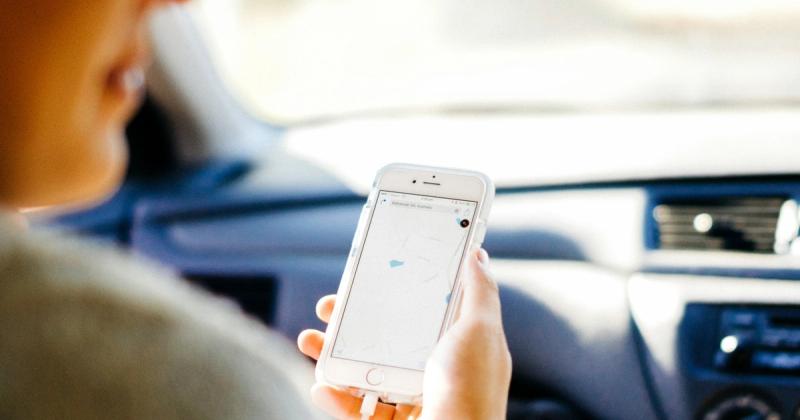
A mount is the difference between legal use and a handset in your hand. Get a vent clip or a suction cradle within easy sight. Fit the phone before you turn the key. Apple describes CarPlay as your iPhone on the car's built-in display — that is the point of it.
- Wired: plug a data cable into the CarPlay USB port. Wait about 5 seconds.
- Wireless: open Settings, tap General, tap CarPlay, and pair the car once.
- Do the whole first setup parked, not at a red light.
When a mount will not save you: if your licence bans phone use outright, a cradle is not a loophole. Method 1 decides that, not the hardware.
Method 3: Control CarPlay with Siri and the wheel
Once the phone is mounted, your hands stay on the wheel. Turn Siri on first: open Settings, tap Siri, and switch on the voice options. CarPlay leans on it for hands-free control.
- Say a destination out loud instead of typing it.
- Answer or end calls with the steering-wheel button.
- Skip a track with the wheel, not the screen.
- Set the route and playlist while parked, before you move.
Where this still falls short: long menu-diving on the touchscreen while moving pulls your eyes off the road, even when it is legal. Keep interactions to voice once the car is rolling.
Build your CarPlay
Fewer taps on the road starts parked
Once CarPlay is hands-free, Car Play Connect puts widgets and a custom connect sound on the screen so glances stay short. Rated 4.6 from 2,700+ App Store ratings. Free to download.
Car Play Connect: Auto Sync
Free
Method 4: Set up the CarPlay screen before you drive
The screen you glance at should already be finished when you leave. Car Play Connect ships a widget gallery built for the dash. Weather cards, clocks, air quality, iPhone battery, and year progress sit next to your photos, car-brand logos, and country flags.
Add them per car: Settings → CarPlay → Customize → Widgets. The app lists iOS 16.3 as its App Store minimum, and the CarPlay widget row itself arrived with iOS 26 in June 2025. Background colour and a day/night theme are editable. Arrange it in the driveway.
Want the car to greet you? Open Sounds → Connect Sound in the same app. Pick a preset from the 7 packs, or import your own .m4a, .mp3, or .wav up to 5 seconds. The chime plays within 1 second of CarPlay connecting, so there is nothing to tap on the move.
No CarPlay in your first car? Many P-platers drive older models. Mount Mode turns the iPhone into a dashboard with a GPS speedometer for pre-2016 vehicles — still mounted, still hands-free.
P-plate phone rules by state: WA, VIC and NSW
The searches around this topic ask the same thing for different states. The honest answer is the same each time: the rule is set by the state and by your licence type, so confirm it locally before you drive.
- WA: no extra phone condition for P-platers — the same hands-free rule applies to every WA driver.
- VIC and NSW:these states may set stricter phone rules for P1 and P2 drivers, so confirm the current rule with each state's official road authority.
Whatever your state, the compliant habit never changes. Mount the iPhone. Connect it once, parked. Drive by voice and the wheel. Do not hold or touch the handset.
Hands-free vs holding your phone
Use this as a quick gut check before you drive. It is about the phone in your hand, not the brand of app.
| What you do | Hands-free? | Why |
|---|---|---|
| iPhone mounted, commands by Siri | Yes | You never touch the handset |
| Steering-wheel buttons for calls or tracks | Yes | Those are car controls, not the phone |
| Set the route and playlist while parked | Yes | Nothing happens on the phone while moving |
| Picking the iPhone up to tap it | No | Holding a phone while driving is restricted in Australia |
| Phone loose on the seat, glancing at it | No | Not mounted and not truly hands-free |
Frequently Asked Questions
Can P-platers use Apple CarPlay in WA?
Yes. WA's official list of P-plate conditions — zero BAC, the red-P night restriction, the 1-passenger limit, and displaying your plates — does not add any extra mobile phone rule for P1 or P2 drivers. That means the same road rule applies to P-platers as to every other WA driver: hands-free only, through a mount or cradle, by voice or a button. CarPlay fits that rule because the iPhone stays mounted and you drive it with Siri and the steering-wheel buttons. Holding or touching the handset while driving is illegal for any WA driver, P-plate or not.
Can P-platers use Apple CarPlay in VIC?
That depends on Victoria's current provisional licence rules, so check them with the official Victorian road authority before you drive. Some states set stricter phone rules for P1 and P2 drivers than others. Whatever the rule where you drive, the safe pattern does not change: mount the iPhone, connect it once parked, and use Siri instead of your hands.
Can P-platers use Apple CarPlay in NSW?
Confirm the current NSW provisional phone rules with the official NSW road authority first, because they can differ from WA and change over time. If phone use is allowed for your licence, keep it fully hands-free. Mount the iPhone, start maps and music before you move, and let Siri and the wheel buttons do the work while driving.
Is Apple CarPlay illegal to use while driving?
No, Apple CarPlay is not illegal. It is built to run your iPhone hands-free on the car's built-in screen. What the road rules restrict is holding or touching the handset while driving. Mount the phone, connect it once, and drive by voice and steering-wheel buttons. Provisional drivers should still confirm their own state's phone conditions.
Do I have to touch my iPhone to use CarPlay?
No. Mount the iPhone and connect it once, then run CarPlay by voice with Siri and the steering-wheel buttons. Set your destination and playlist while parked, before you drive off. A quick word to Siri handles maps, calls, and messages, so the handset stays untouched for the whole trip.
Can I add a weather widget to Apple CarPlay?
Yes. In iOS 26 you add widgets per car under Settings → CarPlay → Customize → Widgets. Car Play Connect ships styled weather cards, clocks, iPhone battery, and air quality for that row. Turn it on, pick your tiles, and arrange them parked. The gallery is free to try on iOS 16.3 and up.
Related guides
- Build your CarPlay widget set — weather, clocks, battery, and logos, arranged parked before you drive.
- Custom CarPlay startup sound — pick a connect chime so there is nothing to tap on the move.
- Mount Mode for older cars and Teslas — a mounted iPhone dashboard when the car has no native CarPlay.
- Dynamic Lyrics on CarPlay — synced lyrics on the screen, driven hands-free like the rest of CarPlay.