On this page▾
- The 30-second test
- Method 1: Check your Mercedes's model year for Apple CarPlay
- Method 2: Confirm CarPlay with Apple's vehicle list or a dealer
- Method 3: Connect Apple CarPlay in a Mercedes that has it
- Method 4: Add Apple CarPlay to an older Mercedes
- Method 5: Customize the CarPlay screen
- Mercedes models and the model year Apple CarPlay arrived
- Frequently Asked Questions
- Related guides
Yes. Mercedes-Benz confirmed Apple CarPlay for select 2016 model-year vehicles in December 2015. The first wave covered the B-Class, CLA-Class, GLA-Class, GLE-Class, CLS-Class, and the E-Class Coupe and Cabriolet. Mercedes then widened CarPlay across the rest of its lineup, model by model, in the years after. A Mercedes built before that window needs an aftermarket radio or a phone mount instead.
Shoppers cross-shopping a used Mercedes coupe against a newer sedan run into this question constantly. The badge on the trunk tells you almost nothing about CarPlay. Two E-Classes parked side by side can split on this single feature. One simply left the factory a year before the other.
The 30-second test
Sit in the driver's seat. Turn the key or press the start button, then wake the center screen. Answer one question: does a CarPlay icon show up on the home screen, or inside the phone integration menu?
- Icon is there — your Mercedes supports CarPlay. Plug in a data cable and skip to Method 3.
- No icon — your Mercedes was most likely built before CarPlay reached that nameplate. It may also have shipped without the multimedia package that included it. A wireless dongle will not add CarPlay to a head unit that never had it. Go to Method 4 instead.
Still not sure which model year you actually have? Check the build date on the driver-door sticker, not the calendar year you bought the car. Mercedes, like most automakers, often builds a "2016" car months before the new year starts.
Build your CarPlay
Already have CarPlay? Dress up the Mercedes screen
Car Play Connect adds weather, clocks, battery, and car-brand logos to the CarPlay widget row. Free to try on iOS 16.3 and up; the annual plan is $19.99/year.

Car Play Connect: Auto Sync
4.6·2,735+ ratings·Free


Method 1: Check your Mercedes's model year for Apple CarPlay
Mercedes confirmed CarPlay in an internal memo to dealers in December 2015, as AppleInsider reported at the time. Support rolled out on select B-Class, CLA, GLA, GLE, CLS, and E-Class Coupe or Cabriolet models built after December 1, 2015. That made it part of the 2016 model year. Pricing varied by trim. The B-Class, CLA, and GLA could add it as a standalone $350 option. The E-Class, CLS, and GLE needed a pricier in-dash package instead. A handful of trims, such as the CLS550 and GLE63 S, got it standard. The redesigned E-Class sedan followed for the 2017 model year, and Mercedes kept rolling CarPlay out across the range after that.
- Park, then wake the touchscreen without plugging in anything.
- Look for a CarPlay icon in the phone integration or connectivity menu on the dash.
- Unlock the iPhone and plug in a cable that carries data, not a charge-only cable from a convenience-store rack.
- Open Settings on the iPhone, search "CarPlay," and check whether your Mercedes shows up under Available Cars.
When this fails: no icon, and no session after a data cable. That points to a Mercedes built before CarPlay reached that nameplate, or a trim that skipped the multimedia package entirely. Methods 2 and 3 will not fix a head unit that was never built for it. Go to Method 4 instead.
Method 2: Confirm CarPlay with Apple's vehicle list or a dealer
A model year alone does not settle it. CarPlay reached different Mercedes nameplates in different years, and it also depended on the multimedia package fitted at the factory.
- Check Apple's official CarPlay-compatible vehicle list for your exact Mercedes nameplate and model year.
- Look at the original build sheet or window sticker, if you still have it. CarPlay often appears as part of a COMAND or MBUX multimedia package rather than a standalone line item.
- Call a Mercedes dealer with your VIN and ask them to confirm the infotainment package your specific car shipped with.
- Skip forum posts about a different trim, region, or export market. Mercedes CarPlay availability has differed across them.
When this fails: the VIN lookup or the dealer comes back negative. That is the car's real answer, not a glitch. Move on to Method 4 for an add-on path rather than re-checking the same VIN again.
Method 3: Connect Apple CarPlay in a Mercedes that has it
Wired is the connection every CarPlay-capable Mercedes supports, so start here even if your trim can also go wireless.
- Unlock the iPhone and keep it on the lock screen.
- Plug the cable into the car's designated CarPlay socket. Skip any auxiliary charging port if the dash has more than one.
- Wait a few seconds for the CarPlay interface to load.
- Open Settings → Siri & Search on the iPhone. Confirm Siri is turned on if you plan to use voice commands in CarPlay.
On the first 2016 cars, CarPlay and Mercedes's own COMAND Navigation could not run at the same time. Drivers had to choose one for that trip. Check your owner's manual for how your specific system, COMAND or MBUX, handles that switch today. Wireless CarPlay arrived on later models, and whether your car has it still depends on the model year and trim. Pair once by cable. Then check Settings → General → CarPlay → Available Cars on a later trip without plugging in.
When this fails: the session starts and drops right away, or never starts. Try a different cable first — a charge-only cable is an easy thing to grab by mistake. If a second cable and a different port both fail, the head unit itself may need a dealer look.
Method 4: Add Apple CarPlay to an older Mercedes
A Mercedes built before CarPlay reached that nameplate is not stuck without options. Apple's own CarPlay page confirms CarPlay can be added to a current car with an aftermarket system. Apple names Alpine, Blaupunkt, Clarion, JVC, Kenwood, Pioneer, and Sony as brands that make CarPlay-ready head units.
- Have a car audio shop confirm your dash opening and wiring harness match an available head unit for your Mercedes.
- Budget for the install, not just the unit — wiring, steering-wheel control integration, and dash kits add to the job.
- Ask the shop to confirm the new unit's USB port carries data, not just power, before you drive off.
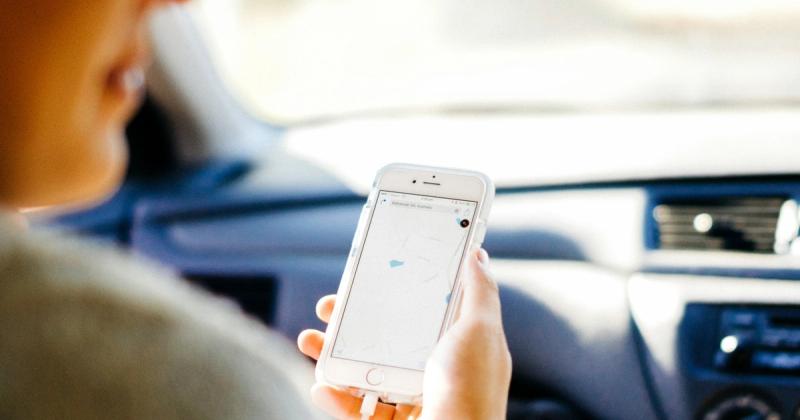
Do not want to touch the dashboard at all? Car Play Connect's Mount Mode turns the iPhone itself into a dashboard. It covers maps, calls, and a GPS speedometer, with no radio swap required. The app uses the same approach for Teslas and any other pre-2016 car that never shipped with CarPlay.
When this will not work: a dash that cannot fit a standard aftermarket unit. Or a shop that cannot source a harness for your specific Mercedes. Mount Mode sidesteps both. It changes nothing about the factory radio.
Build your CarPlay
Pick your path, then make the screen yours
Car Play Connect's widget gallery and connect-sound library work whether CarPlay came factory-installed or arrived through Mount Mode. Rated 4.6 from 2,700+ App Store ratings.
Car Play Connect: Auto Sync
Free
Method 5: Customize the CarPlay screen
Getting CarPlay onto the dash, factory or aftermarket, is only half the job. Car Play Connect adds a widget gallery built for the CarPlay screen. Weather cards, clocks, air quality, and iPhone battery sit next to year progress and your own photos. Car-brand logos, affirmations, faith verses, football crests, and country flags round out the set.

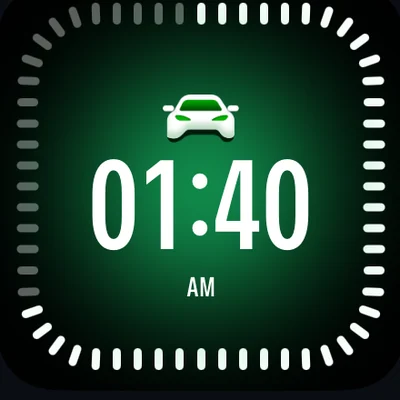
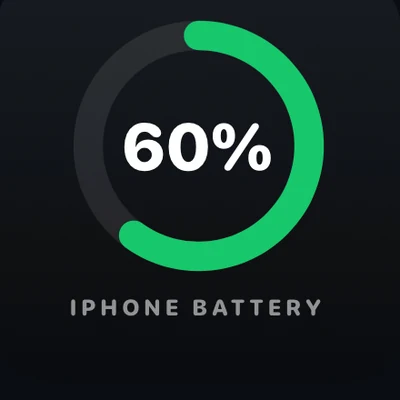
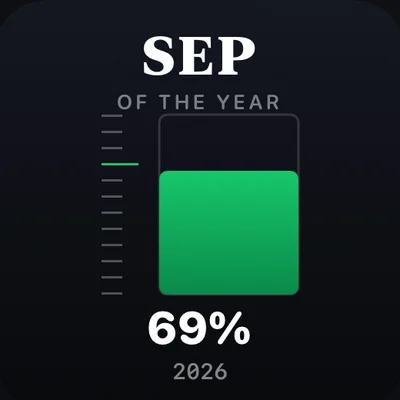
Add them per car under Settings → CarPlay → Customize → Widgets. The app lists iOS 16.3 as its minimum. Background colour, your own photos, and a day/night theme are all editable from there.
Want the Mercedes to announce itself when it connects? Open Sounds → Connect Sound in the same app and pick a preset, or import your own file. A separate disconnect sound is optional, and setup takes about 30 seconds.
Music on the dash can also show Dynamic Lyrics. It syncs to Apple Music or Spotify, with the active line highlighted on the screen instead of a static card.
Mercedes models and the model year Apple CarPlay arrived
Pulled from Apple's official CarPlay vehicle list. It covers far more Mercedes nameplates than fit here; use it to check a model not shown below.
| Model | First model year with Apple CarPlay |
|---|---|
| A-Class | 2016 |
| B-Class | 2016 |
| CLA-Class | 2016 |
| GLA-Class | 2016 |
| GLE-Class | 2016 |
| E-Class Coupe / Cabriolet | 2016 |
| E-Class (sedan) | 2017 |
| GLS-Class | 2017 |
| GLC-Class | 2018 |
| S-Class | 2018 |
| C-Class | 2019 |
A Mercedes one model year below the number in this table almost never has CarPlay. Confirm with Method 2 before you assume either way.
Frequently Asked Questions
What year did Mercedes get Apple CarPlay?
Mercedes-Benz confirmed Apple CarPlay for select 2016 model-year vehicles in December 2015, starting with cars built after December 1 that year. The first wave covered the B-Class, CLA-Class, GLA-Class, GLE-Class, CLS-Class, and E-Class Coupe and Cabriolet. The redesigned E-Class sedan followed for the 2017 model year, and Mercedes kept widening CarPlay across the lineup after that.
Does every Mercedes have Apple CarPlay?
No. Only specific nameplates and model years from 2016 onward got it, and some early models required it as a paid option rather than standard equipment. A Mercedes built before that window, or a lower trim without the multimedia package, may have no CarPlay tile at all. Check Apple's official vehicle list or your own dash for the fastest answer.
Is Apple CarPlay wireless in a Mercedes?
Not on the earliest cars. Mercedes launched CarPlay in 2016 as a wired-only feature, plugged into a dedicated dashboard socket. Wireless support arrived later and still depends on the specific model, model year, and infotainment package your Mercedes shipped with. Open Settings → General → CarPlay → Available Cars on the iPhone to see whether your car can connect without a cable.
Can I add Apple CarPlay to an older Mercedes without it?
Yes, in two ways. Apple's own CarPlay page lists Alpine, Blaupunkt, Clarion, JVC, Kenwood, Pioneer, and Sony as aftermarket brands that add CarPlay to a dashboard that never shipped with it. If swapping the head unit is not an option, Car Play Connect's Mount Mode turns the iPhone itself into a dashboard instead, with no radio removed.
How do I turn on Apple CarPlay in a Mercedes that has it?
Plug a data-capable USB cable into the car's CarPlay-ready port with the iPhone unlocked, then wait for the CarPlay screen to load on the dash. On early 2016 models, CarPlay and Mercedes's own COMAND Navigation could not run at the same time, so you had to pick one. A charge-only cable is the most common reason a first attempt fails.
Related guides
- CarPlay widgets for iOS 26 — the full gallery to add once your Mercedes already runs CarPlay.
- Custom CarPlay connect sound — set a preset or your own file for when the car connects.
- Dynamic Lyrics for CarPlay — synced lyrics on the dash for Apple Music and Spotify.
- Mount Mode — an iPhone dashboard for a Mercedes built before CarPlay reached that nameplate.
- More CarPlay guides — setup, wireless, and troubleshooting for other cars.