On this page▾
- The 30-second test
- Method 1: Confirm Apple CarPlay on your Nissan Kicks
- Method 2: Connect Apple CarPlay with a USB cable
- Method 3: Connect Apple CarPlay wirelessly
- Method 4: Fix a Kicks that won't connect to CarPlay
- Method 5: Customize the CarPlay screen
- Wired vs. wireless CarPlay in a Nissan Kicks
- Frequently Asked Questions
- Related guides
Yes, on every 2021-or-newer Nissan Kicks. Nissan made Apple CarPlay standard equipment on all Kicks trims starting with the 2021 model year refresh. How it connects — wired only, or wired and wireless — depends on the trim and touchscreen size your specific Kicks shipped with. Check the touchscreen for a CarPlay icon first. Then connect by cable, go wireless if your trim supports it, or fix a stuck connection with the steps below.
People land here holding an iPhone — often an iPhone 13 or newer. They are standing next to a Kicks. The screen looks ready for CarPlay, but the session will not start. A touchscreen alone does not tell you enough. Model year and trim level matter more than the dashboard's shape.
The 30-second test
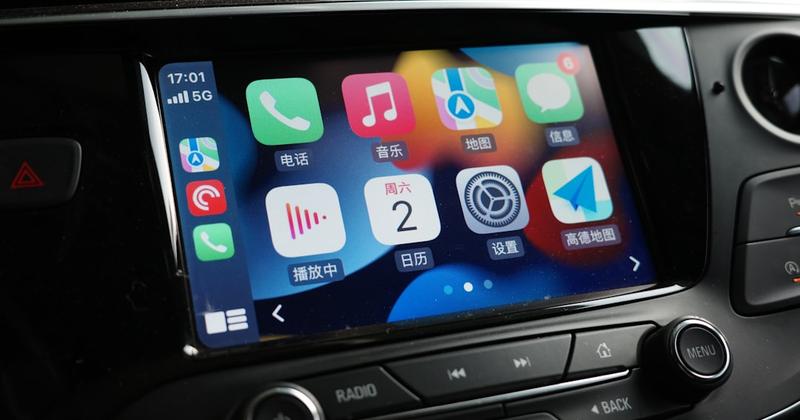
Sit in the driver's seat. Turn the ignition to accessory or on, then wake the touchscreen. Answer one question: is there a CarPlay icon on the home screen?
- Icon is there — your Kicks supports CarPlay. Plug in a data cable and skip to Method 2, or try Method 3 if you want to go wireless.
- No icon — this is most likely a 2020 or earlier Kicks, built before Nissan made Apple CarPlay standard starting with the 2021 model year. A wireless dongle will not add CarPlay to a radio that cannot run it.
Still unsure of your model year or trim? Check the window sticker that came with the car, or call a Nissan dealer with your VIN and ask them to confirm the infotainment package. That beats guessing from a forum thread about a different trim or a different year.
Build your CarPlay
Already have CarPlay? Dress up the Kicks screen
Car Play Connect adds weather, clocks, battery, and car-brand logos to the CarPlay widget row. Free to try on iOS 16.3 and up; the annual plan is $19.99/year.

Car Play Connect: Auto Sync
4.6·2,735+ ratings·Free


Method 1: Confirm Apple CarPlay on your Nissan Kicks
This is the free step, and it stops you from buying a cable or dongle you do not need. Apple's CarPlay page describes it as your iPhone's maps, calls, messages, and music on the car's own display. Every 2021-and-newer Kicks ships with it; a 2020 or older Kicks may not.
- Park, then wake the touchscreen without plugging in anything.
- Look for a CarPlay icon alongside the radio, Bluetooth, and camera icons.
- Unlock the iPhone and plug in a cable that carries data, not a charge-only cable from a gas station rack.
- Open Settings on the iPhone, search "CarPlay," and see whether the Kicks appears under Available Cars.
When this fails: no icon, and no session after a data cable. That points to a 2020-or-older Kicks built before CarPlay was standard. Nothing in Methods 2–5 fixes a radio that was never built for it.
Method 2: Connect Apple CarPlay with a USB cable
Wired is the connection every CarPlay-capable Kicks supports, so start here even if you plan to go wireless later.
- Unlock the iPhone and keep it on the lock screen.
- Plug the cable into the Kicks's USB port, not an auxiliary charging port if the car has more than one.
- Wait a few seconds for the CarPlay splash screen to load.
- Open Settings → Siri & Search on the iPhone and confirm Siri is turned on — CarPlay leans on it for voice commands.
When this fails: the session starts and drops right away, or never starts at all. Try a different cable first. A charge-only cable is an easy thing to miss. If a second cable and a different port both fail, move to Method 4.
Method 3: Connect Apple CarPlay wirelessly
Wireless CarPlay is newer to the Kicks than the wired kind. The 2021–2024 generation shipped wired CarPlay only, on every trim. The redesigned 2025 Kicks adds wireless CarPlay with the SV and SR trims' 12.3-inch touchscreen upgrade; the base S trim keeps the smaller 7-inch screen. If your Kicks is a 2021–2024 model, assume wired-only. If it is a 2025 S, check the car itself rather than guessing from the SV/SR spec sheet.
- Pair the iPhone to the Kicks once over a USB cable, as in Method 2.
- On the iPhone, turn on both Wi-Fi and Bluetooth under Settings.
- Unplug the cable, start the car, and check whether the Kicks appears under Settings → General → CarPlay → Available Cars without a cable connected.
- If it does not appear wirelessly, the trim's radio likely supports wired CarPlay only.
When this fails: the Kicks connects fine by cable but never shows up wirelessly. On a 2021–2024 Kicks or a 2025 S trim, that is expected — the hardware does not include wireless CarPlay. Stay on Method 2. A wireless adapter bolted onto a wired-only radio is not something this guide can verify works the same way on every Kicks trim.
Method 4: Fix a Kicks that won't connect to CarPlay
Work through these in order. A stuck CarPlay session is rarely the radio itself.
- Swap the USB cable for one you know carries data, and try a different port if the dash has two.
- Open Settings → General → CarPlay on the iPhone, tap the Kicks, choose Forget This Car, then reconnect from scratch.
- Restart the iPhone. A stuck background process can block the CarPlay handoff even when the cable and port are both fine.
- Confirm Siri, Bluetooth, and Wi-Fi are all on under Settings. A wireless session needs all three, even if you plan to use a cable most of the time.
- Check for an iOS update under Settings → General → Software Update. An outdated iOS version occasionally blocks the CarPlay handshake with newer car software.
When none of this works: the Kicks showed a CarPlay icon in Method 1, but still refuses every cable, port, and reset. That points to the car's own hardware. A dealer service visit, not another cable, is the next step.
Build your CarPlay
Once CarPlay is stable, make the screen yours
Car Play Connect's widget gallery and connect-sound library run once CarPlay already launches. Rated 4.6 from 2,700+ App Store ratings. Free to download.
Car Play Connect: Auto Sync
Free
Method 5: Customize the CarPlay screen
Getting CarPlay onto the Kicks's display is only half the job. Car Play Connect adds a widget gallery built for the dashboard. Weather cards, clocks, air quality, and iPhone battery sit next to year progress and your own photos. Car-brand logos, affirmations, faith verses, football crests, and country flags round out the set.

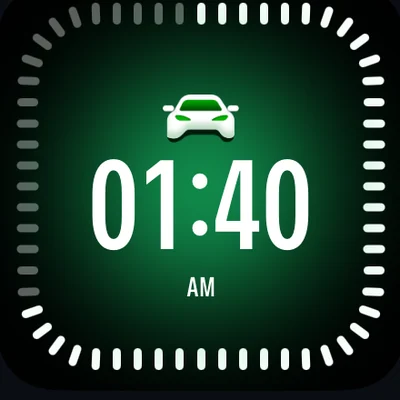
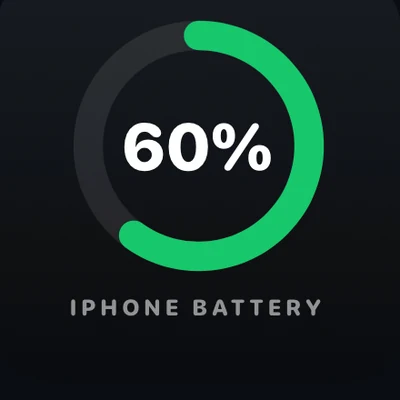
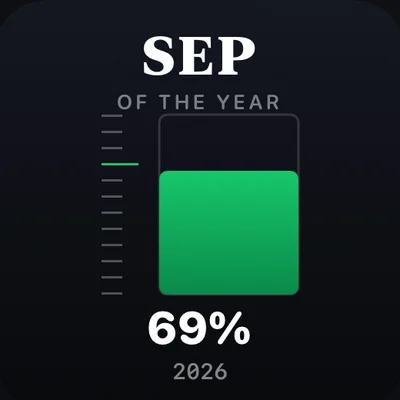
Add them per car under Settings → CarPlay → Customize → Widgets. The app lists iOS 16.3 as its minimum. Background colour, your own photos, and a day/night theme are all editable from there.
Want the Kicks to announce itself when it connects? Open Sounds → Connect Sound in the same app and pick a preset, or import your own file. A separate disconnect sound is optional, and setup takes about 30 seconds.
Music on the dash can also show Dynamic Lyrics. It syncs to Apple Music or Spotify, with the active line highlighted on the CarPlay screen instead of a static card.
A 2020-or-older Kicks skips factory CarPlay entirely. Mount Mode turns the iPhone itself into a dashboard instead. It covers maps, calls, and a GPS speedometer, with no radio swap required.
When this will not work: Methods 1–4 never produced a live CarPlay session on the dash. Widgets and sounds cannot appear on a radio that is not already running CarPlay.
Wired vs. wireless CarPlay in a Nissan Kicks
Use this as a parked decision before you buy anything.
| Connection | What you need | Good for | Watch for |
|---|---|---|---|
| Wired (Method 2) | A data-capable USB cable | Every CarPlay-capable Kicks trim | Charge-only cables will not start a session |
| Wireless (Method 3) | Wi-Fi and Bluetooth on, paired once by cable first | Skipping the cable after setup | Not every trim's infotainment supports it |
| No CarPlay tile (Method 1 fails) | Car Play Connect Mount Mode | 2020-or-older Kicks with no CarPlay radio | A dashboard app, not a factory CarPlay session |
Frequently Asked Questions
Does the Nissan Kicks have Apple CarPlay?
Yes, on the 2021 model year and newer. Nissan made Apple CarPlay standard equipment on every Kicks trim starting with the 2021 refresh. A 2020 or older Kicks may not have it at all. Whether a 2021-or-newer Kicks also supports wireless CarPlay depends on the trim and touchscreen size it shipped with. Check the touchscreen for a CarPlay icon, or ask a dealer to confirm the package on your specific VIN before you buy a cable or adapter.
Is Apple CarPlay wireless in the Nissan Kicks?
Only on the redesigned 2025 Kicks, and only on the SV and SR trims with the 12.3-inch touchscreen. The 2021–2024 Kicks generation shipped wired CarPlay only, on every trim, and the 2025 base S trim keeps the smaller 7-inch screen without wireless support. Open Settings → General → CarPlay on your iPhone and check whether the Kicks shows up under Available Cars without a cable plugged in. If it does not, your Kicks needs the USB connection.
How do I turn off CarPlay in a Nissan Kicks?
Unplug the USB cable for a quick stop. Or open Settings → General → CarPlay on the iPhone, tap the Kicks, and choose Forget This Car to end it completely. For wireless CarPlay, also forget the car's Wi-Fi network if it stays in Bluetooth range. Turning the ignition off ends the session either way.
How do I enable Siri for CarPlay?
Open Settings → Siri & Search on the iPhone and turn on Listen for "Siri" and Press Side Button for Siri. CarPlay depends on Siri for hands-free navigation, calls, and messages. A muted Siri is one reason a Kicks session starts but voice commands do not respond. Check this before blaming the car's microphone.
How do I change the CarPlay startup sound in a Nissan Kicks?
iOS has no built-in setting for the CarPlay connection chime. Install an app like Car Play Connect, pick a preset under Sounds → Connect Sound, and it plays automatically the next time the Kicks connects. You can set a separate sound for disconnecting, too. Setup takes about 30 seconds.
How do I watch YouTube on CarPlay?
Apple CarPlay does not run the YouTube app directly. Video playback stays restricted while driving on every CarPlay screen, including the Kicks. You can still hear audio through a connected music or podcast app. Or use Car Play Connect's Dynamic Lyrics widget to see synced lyrics instead of chasing a video workaround.
Related guides
- CarPlay widgets for iOS 26 — the full gallery to add once your Kicks already runs CarPlay.
- Custom CarPlay connect sound — set a preset or your own file for when the Kicks connects.
- Dynamic Lyrics for CarPlay — synced lyrics on the dash for Apple Music and Spotify.
- Mount Mode — an iPhone dashboard for a 2020-or-older Kicks with no CarPlay radio.
- More CarPlay guides — setup, wireless, and troubleshooting for other cars.