Add Car Widgets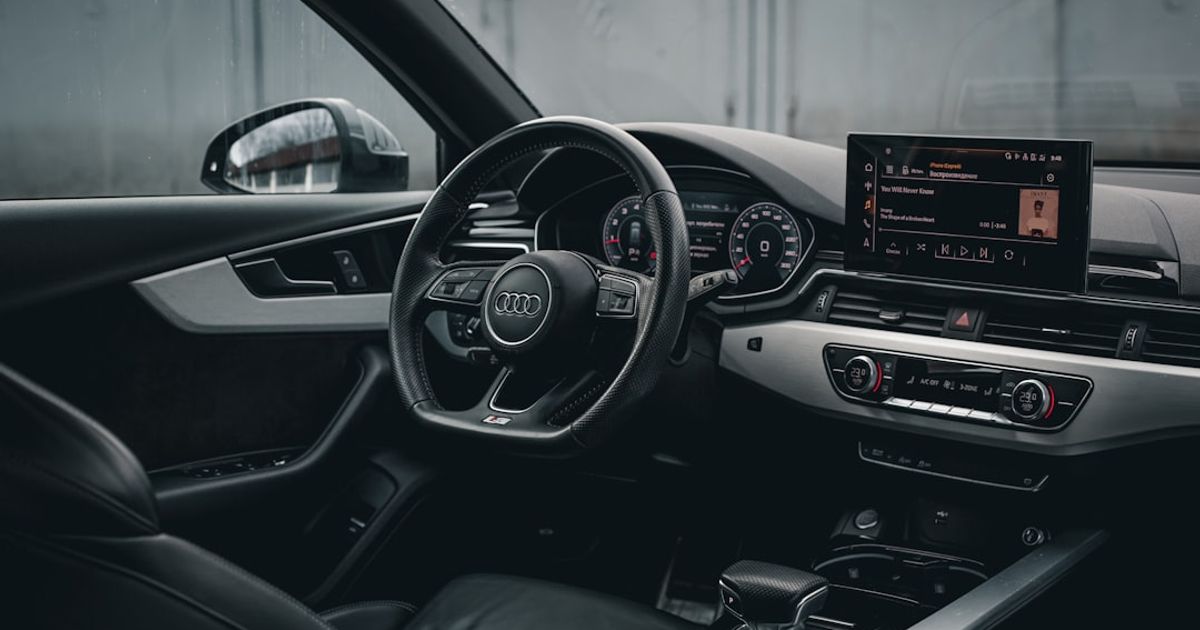
On this page▾
- TL;DR — the 30-second answer
- What “Audi Smartphone Interface” actually is
- Why won’t my Audi A4 connect to CarPlay after the MMI update?
- MMI Plus / MMI Navigation Plus: the wireless drop-out fix
- Does the Audi e-tron GT have wireless CarPlay quirks?
- MIB3 firmware updates: when CarPlay needs the dealer
- When to stop troubleshooting and call the dealer
- FAQ
Quick answer
Audi CarPlay stops working most often because the MMI needs a reboot (hold the right knob + volume knob for 10 seconds), the cable is in the wrong port (use the front USB-A in the armrest, not rear or 12V), or the Trust dialog needs re-confirming. For wireless, toggle Bluetooth and WiFi off then back on.
Audi's CarPlay implementation is one of the more frustrating ones in the premium segment. The hardware is there, the software mostly works, and then one Tuesday morning the MMI screen just shrugs and pretends your iPhone doesn't exist. The most common failure pattern affects 2020 A4, 2022 Q5, 2024 e-tron GT, and 2019 A3 owners — the fix order depends on which MMI generation you have.
Below is the troubleshooting flow, ranked from the most common fix to the least, with the model-specific quirks called out where Audi's implementation diverges from spec.
TL;DR — the 30-second answer
Most Audi CarPlay drop-outs trace to one of three things: the Audi Smartphone Interface toggle silently flipping off after an MMI update, the iPhone's wireless CarPlay pairing getting orphaned in the MMI Bluetooth menu, or the head unit running a pre-MIB3 firmware that hasn't been updated since delivery. Update iOS to 26.2 or later, forget the car in iPhone Settings → General → CarPlay, delete the phone from MMI → Phone → Manage Bluetooth Devices, then re-pair from scratch. If you're on MIB2 (pre-2020 A4, A3, Q5), you may need a dealer SVM firmware push.
Which fix applies depends entirely on your MMI generation. Find your car in this table before you start — it tells you whether CarPlay is wired or wireless on your platform and where the fault usually sits.
| MMI generation | Typical models | CarPlay type | Most common failure | First fix |
|---|---|---|---|---|
| MMI Touch (B9) | A4/A5 '17–'24, Q5 '18–'24, A3 '17–'24 | Wired; wireless on late-2020+ refresh | Smartphone Interface toggle resets off; USB port power-saves | Re-enable the toggle, cycle ignition, use an MFi cable |
| MMI Plus / Navigation Plus | A6, A7, A8, Q7, Q8 '19–'24 | Wireless (native) | Wireless pairing drops every few starts | Delete phone from MMI, forget car on iPhone, re-pair |
| MMI Touch Response (dual-screen) | e-tron GT, later A6/A7 EV trims | Wireless | Orphaned Bluetooth association after MMI update | Toggle Bluetooth + Wi-Fi off/on, re-pair from the car |
| MIB2 (pre-MIB3) | pre-2020 A4, A3, Q5 | Wired only | Outdated head-unit firmware since delivery | Dealer SVM firmware push may be required |
What “Audi Smartphone Interface” actually is
Audi doesn't call it CarPlay in the MMI menus. It calls it Audi Smartphone Interface, which is the umbrella name for both Apple CarPlay and Android Auto. That distinction matters because the toggle that enables CarPlay isn't labeled CarPlay — it's labeled Smartphone Interface, and on most A4 and Q5 builds it lives three menus deep.
On the 2020 A4, the toggle is at MENU → Vehicle → Driver Assistance → Audi Smartphone Interface— which makes no sense conceptually but is where Audi put it. On the 2022 Q5 it moved to MENU → Settings → User Settings → Audi Connect / Smartphone Interface. On the e-tron GT with the dual-screen MMI Touch Response setup, it's under Car → Smartphone Interface. First thing to confirm before anything else: that toggle is on. It can flip off after over-the-air MMI updates without any user action — a known quirk reported across multiple A4 and Q5 owners.
Why won't my Audi A4 connect to CarPlay after the MMI update?
The MMI Touch generation (B9 A4 / A5 2017-2024, B9 Q5 2018-2024, 8V/8Y A3 2017-2024) ships with wired CarPlay over USB-A or USB-C depending on model year. Wireless CarPlay only arrived on this platform in the late-2020 model year refresh, and even on the wireless-capable cars, the implementation is fussier than what BMW or Mercedes ship.
After an MMI software update — Audi pushes these via the MMI → Update menu or at dealer service — three things commonly break:
- The Smartphone Interface toggle resets to off. Re-enable it (path varies by year — see the section above). The MMI does not warn you when it does this, and the CarPlay handshake will just silently fail until the toggle is on.
- The Bluetooth pairing becomes “orphaned.”Your iPhone still shows in MMI → Phone → Manage Bluetooth Devices, but the CarPlay association underneath it doesn't. Delete the phone from MMI, forget the car in iPhone Settings → General → CarPlay, then pair fresh. Plug the USB cable in during the first pairing — even on wireless-capable cars — to force the CarPlay association to register before the wireless handshake takes over.
- The MMI's USB controller throttles.The B9 A4 in particular has a known firmware quirk where the front USB port enters a power-save mode after long parked sessions and won't re-init CarPlay until you cycle the ignition. If wired CarPlay won't start, turn the car fully off (not just acc), wait 30 seconds, restart, then plug in.
Cable matters more than Audi advertises. The B9 A4 uses a USB 2.0 data port for CarPlay even though later cars have USB-C — and a cheap USB-C-to-Lightning cable with iffy data lanes will hand-shake fast enough to show “charging” on the iPhone but never bring up CarPlay. Use the Apple-branded cable, or a known-good MFi cable, before assuming the car is broken.
Smartphone Interface back on
CarPlay's showing on the MMI again — now fill the widget pane
Car Play Connect fills iOS 26's five CarPlay widget slots with purpose-built tiles — album-locked Photos, a GPS speedometer, weather, clock and battery. Free to try.

Car Play Connect: Auto Sync
4.6·2,300+ ratings·Free to try

MMI Plus / MMI Navigation Plus: the wireless drop-out fix
MMI Plus is what Audi shipped on higher trims of A6, A7, A8, and Q7/Q8 from roughly 2019 through 2024, and it adds wireless CarPlay support natively. On paper, beautiful. In practice, wireless CarPlay on MMI Plus is prone to dropping out on some starts, according to owner reports, until you run the following sequence.
The wireless CarPlay drop on MMI Plus is almost always a Bluetooth profile collision — Audi's phone profile, hands-free profile, and CarPlay link profile all share a single Bluetooth radio, and when the car wakes up too fast (Audi's start-stop is aggressive), one of the profiles registers before the others and CarPlay times out waiting.
- iPhone Settings → General → CarPlay → tap your Audi → Forget This Car.
- MMI → Phone → Manage Bluetooth Devices → delete the phone.
- Turn the car off completely (open the driver's door to make sure the MMI shuts down — not just press start once).
- Restart, then in MMI go to Phone → Connect new device and pick your iPhone.
- On the iPhone, accept the pairing prompt and the “Use as CarPlay” prompt — these are two separate dialogs and skipping the second one is the #1 reason wireless CarPlay never re-engages.
If the wireless drop persists after a clean re-pair, the next thing to try is iOS Settings → General → Transfer or Reset iPhone → Reset → Reset Network Settings. That nukes Wi-Fi and Bluetooth state on the phone side without affecting your other data — useful when MMI Plus has stored a wireless config for another driver's phone.
Does the Audi e-tron GT have wireless CarPlay quirks?
Yes, and the e-tron GT's quirks are specific enough to call out separately. The e-tron GT (and the e-tron / Q4 e-tron / Q8 e-tron family running similar MIB3 hardware) has a more aggressive 12-volt battery management strategy than ICE Audis — when the car is parked, the MMI low-power state cuts Bluetooth radio power within about 20 minutes of locking the car.
The practical impact: walking up to the e-tron GT, pressing unlock, and getting in does notwake the Bluetooth radio fast enough for the iPhone's wireless CarPlay handshake. The car finishes booting before the radio is ready, the iPhone hands off to nothing, and CarPlay just doesn't come up. You press a button on MMI to wake it manually, the radio comes online, and now CarPlay needs you to plug in the USB-C cable to recover.
The workaround on the e-tron GT specifically: don't rely on wireless CarPlay for the first 60 seconds after a cold start. Plug in USB-C for the first minute every drive, or wait until the MMI fully boots before reaching for the iPhone. Keeping the iPhone on the latest iOS and asking the dealer to apply any outstanding MMI software updates both help, but owners still report the occasional cold-start handshake failure.
Every cold start
Give the e-tron's boot-up its own sound instead of the stock chime
Car Play Connect lets you replace CarPlay's default connect sound with one of the built-in chimes or a clip you import, with an optional separate disconnect tone. Free to try.
Car Play Connect: Auto Sync
Free to try
MIB3 firmware updates: when CarPlay needs the dealer
Audi's current infotainment platform is MIB3 (Modular Infotainment Toolkit 3), which underpins the 2022+ Q5, 2024+ A4/A5, the e-tron family, and the entire Q4 e-tron range. MIB3 supports over-the-air updates for some software components, but the CarPlay subsystem in particular still relies on dealer-side SVM (Software Version Management) pushes for major fixes.
These CarPlay firmware fixes don't auto-push. You have to ask the dealer service department to run an SVM check during any service visit. They'll plug into the OBD-II port, query the MIB3 SVM list, and apply any outstanding pushes — typically 30-45 minutes, usually free if the car is under warranty. Ask the advisor directly whether there's an outstanding CarPlay- or Bluetooth-related update logged against your VIN, and to note which version they applied so you have a record if the problem returns.
Pre-MIB3 cars (2017-2021 A4, A5, A3, 2018-2021 Q5) use the older MIB2 platform, which doesn't get modern CarPlay firmware updates at all. If your CarPlay is broken on a MIB2 Audi and the iPhone-side fixes don't work, the realistic path is either accepting the bug or replacing the head unit — Audi has not back-ported the newer CarPlay protocol fixes to MIB2.
When to stop troubleshooting and call the dealer
Run the iPhone-side and MMI-side fixes first. If after a clean re-pair, an iOS update, and a Reset Network Settings the CarPlay handshake still fails on a MIB3 Audi, the next step is the dealer SVM check — that clears many of the cases that get this far. If the dealer says the SVM list is current and CarPlay is still broken, the underlying issue is usually a failed USB controller or a Bluetooth radio module fault (less common, mostly seen on early 2020 A4s). Ask the dealer for a written parts-and-labor quote before authorizing any hardware replacement.
Audi USA's official Audi Connect page is here: Audi Connect & CarPlay support. If a dealer can't resolve the CarPlay handshake, Audi Customer Experience is reachable through Audi's Help & Support pages.
And if you're running through this whole flow because lyrics, weather, or widget tiles look broken on the MMI screen, the issue is probably iOS-side rather than Audi-side — start with the Apple CarPlay troubleshooting flowchart instead. CarPlay widgets in particular have their own iOS 26 quirks that have nothing to do with the car.
FAQ
Why does my Audi CarPlay keep disconnecting while driving?
On B9 A4 / Q5 / A5 with MMI Touch, the most common cause is the USB-A port going into power-save and cutting the data link mid-drive. Switch to a different USB port if your car has two, or use a known-good Apple-branded cable. On MMI Plus cars with wireless CarPlay, mid-drive drops usually trace to Bluetooth profile contention — pause Bluetooth audio on a second device (smart watch, AirPods case), and the wireless link tends to stabilize.
Does my 2019 Audi A3 support wireless CarPlay?
The 2019 A3 (8V generation) only supports wired CarPlay through the front USB-A port. Wireless CarPlay arrived on the A3 platform with the 8Y generation in late 2020 model year onward. If your 2019 A3 is connecting fine over USB but never offering a wireless option, that's expected behavior — not a bug. The closest workaround is an aftermarket wireless CarPlay dongle plugged into the USB-A port.
What is the SVM update for Audi CarPlay and can I do it myself?
SVM stands for Software Version Management — it's Audi's dealer-side firmware push system that updates components of the MMI head unit, including CarPlay subsystems. You cannot run SVM updates from the driver's seat. Schedule a service visit and ask the advisor to run an SVM check and apply any outstanding CarPlay- or Bluetooth-related updates logged against your VIN. On cars under warranty this is typically free.
Why does CarPlay work on my iPhone but not show up on the Audi MMI screen?
First thing to check is the Audi Smartphone Interface toggle in MMI — Audi calls CarPlay that name, and the toggle silently flips off after some MMI updates. Path varies by year: B9 A4 has it under Vehicle → Driver Assistance, Q5 has it under Settings → User Settings, e-tron GT has it under Car → Smartphone Interface. If the toggle is on and CarPlay still isn't appearing, forget the phone in MMI Bluetooth and re-pair with the USB cable plugged in during pairing.
Will a MIB3 firmware update fix CarPlay on my 2020 A4?
Probably not — the 2020 A4 is the last model year on the MIB2 platform, not MIB3, so MIB3 CarPlay firmware updates don't apply to it. If your 2020 A4 has CarPlay problems, the realistic fixes are the iPhone-side flow (forget car, re-pair, Reset Network Settings) and replacing the USB controller if the front port has failed. Audi did not back-port the newer CarPlay protocol fixes to MIB2.
If your CarPlay is broken in ways that span more than just the Audi-specific quirks here — widgets missing, lyrics not showing, Maps freezing — that's almost certainly an iOS-side issue rather than an Audi one. The CarPlay widgets pillar covers the iOS 26 widget architecture; the why is my CarPlay not working guide covers the broader generic CarPlay flow that applies to any brand.