Add Car Widgets
On this page▾
- TL;DR — the 60-second answer
- Why Subaru CarPlay breaks more than most cars
- Starlink firmware: the single biggest cause
- Why is Subaru CarPlay broken on Forester after a Starlink update?
- Outback CarPlay fixes — the wireless handshake bug
- Crosstrek (2024+) CarPlay — the USB-C cable trap
- Ascent CarPlay — the third-row USB port problem
- When to stop troubleshooting and visit the dealer
- FAQ
Quick answer
Subaru CarPlay problems usually come down to three causes: wrong cable or port (use a genuine Apple cable in the front center-console USB port — rear ports on many models are charge-only), a STARLINK head unit needing a cold reboot (hold power for 10 seconds), or an expired Trust dialog on iPhone. Wireless CarPlay on Subaru requires the car to be in Park.
None of this is Apple's hardware failing. It's a setting or a handshake that got knocked loose after a firmware update, and each Subaru model tends to break in its own way. Below is the fix order by model, most likely cause first.
TL;DR — the 60-second answer
In order: update Starlink firmware to the current version, then reset the head unit by holding power for 10 seconds. If wireless CarPlay or data-over-USB still fails after that, the cable or port is the next suspect — and which port carries data and which cable to use is model-specific, so the per-model sections below pin down the exact fix for your Forester, Outback, Crosstrek, or Ascent.
Jump to your model — the most common cause and the first fix to try:
| Model | Wireless CarPlay? | Most common cause | First fix to try |
|---|---|---|---|
| Forester (2019–2022) | Wired only on this generation | Stale pairing left behind by a Starlink firmware update | Forget device both sides, power-cycle, re-pair |
| Outback (2020–2022) | Varies by trim — check your window sticker | Wireless handshake drops intermittently | Turn off in-car Wi-Fi hotspot |
| Crosstrek (2024+) | Varies by trim — check your window sticker | Third-party USB-C cable charges but won't start CarPlay | Swap to the Apple in-box USB-C cable |
| Ascent (2023+) | Varies by trim — check your window sticker | Rear-row USB ports are charge-only | Use the front center-console USB-C port |
Why Subaru CarPlay breaks more than most cars
Three patterns show up again and again, none of which are Apple's fault. First, Starlink firmware updates roll out on their own schedule rather than in step with iOS releases, so when a new iOS build changes something about the CarPlay handshake, a matching Starlink update can lag behind. Second, the 2022+ head units switched to USB-C ports, and in practice some third-party USB-C cables charge the phone fine but never trigger CarPlay — a known-good Apple cable clears it. Third, wireless CarPlay on some trims is noticeably flakier than the wired path, and turning off the in-car Wi-Fi hotspot is the change that most often settles it.
Starlink firmware: the single biggest cause
Before you reset anything, check your Starlink firmware version. On the head unit, open Settings and look for a System Information or About screen. The exact menu path varies by Starlink generation, so if it isn't obvious, Subaru's multimedia support page (linked below) has the steps for your head unit. If you're several releases behind, update first — an outdated build can leave CarPlay flaky no matter what you do on the iPhone side.
How you get that update depends on your head-unit generation. Newer STARLINK systems can update over the air or through the MySubaru app. Older ones need a USB stick or a dealer visit. The exact method and menu labels differ by generation, so follow the steps on Subaru's support page (linked below) rather than a generic checklist. Three things hold true whichever route you take:
- Update parked, with the ignition on — accessory mode is fine.
- Leave the car running until the transfer finishes. Large bundles take a while.
- Accept the install when the head unit asks. Never switch the car off mid-install.
After the update lands, hold the power knob on the head unit for a full 10 seconds. The screen should go black, then reboot to the Subaru logo. A full power-cycle makes the head unit reboot from scratch instead of resuming its previous state, which in practice clears the connection glitches left over from before the update. Subaru's multimedia support page has the official reset and update steps for your head-unit generation.
Why is Subaru CarPlay broken on Forester after a Starlink update?
After a Starlink firmware update, some 2019-2022 Foresters show the CarPlay icon on the home screen but tapping it does nothing — or it loads for a few seconds and falls back to Bluetooth audio. Whatever the internal cause, it behaves like a stale pairing. The head unit and iPhone no longer agree on the connection. Clear the pairing on both sides, start fresh, and that clears it.
The fix sequence for this:
- On the head unit: Settings → Bluetooth → select your iPhone → Forget Device.
- On the iPhone: Settings → General → CarPlay → tap the Forester entry → Forget This Car.
- Power-cycle the head unit (10-second power hold).
- Re-pair fresh: head unit Settings → Bluetooth → Add New, then on the iPhone accept the pairing prompt.
- When the “Use this car for CarPlay?” prompt appears on iPhone, tap Allow.
- Plug into the front center-console USB port with a known-good Apple cable. This generation used USB-A before the 2022 switch to USB-C, so check which one your car has and match the cable to it. CarPlay should launch within a few seconds.
The step that's easy to skip — and the usual reason a re-pair doesn't stick — is the head-unit power cycle in step 3. Don't skip it. Owner discussions like r/Forester are a good place to sanity-check the current fix for your specific model year.
Once it reconnects clean
Handshake fixed? The connect chime is still Subaru's stock two-beep
Car Play Connect lets you swap the default CarPlay connect sound for one of the built-in chimes or a clip you import, with an optional separate disconnect tone. Free to try.

Car Play Connect: Auto Sync
4.6·2,300+ ratings·Free to try

Outback CarPlay fixes — the wireless handshake bug
On Outbacks whose trim supports wireless CarPlay — it varies by trim and model year, so check your window sticker — the wireless handshake can still fail intermittently. The symptom: phone connects to the car's Bluetooth, audio routes fine, but the CarPlay UI never loads on the screen. You get a black panel where CarPlay should be.
A common culprit is the in-car Wi-Fi hotspot. Wireless CarPlay runs over its own Wi-Fi link, so switching the hotspot off often clears the black-panel symptom. The workarounds, in the order worth trying:
- Disable Subaru's in-car Wi-Fi hotspot.Even if you don't subscribe to it, the radio is still active. Look under Settings → Connectivity for the In-Vehicle Wi-Fi toggle and switch it off. The exact path depends on your Starlink generation, so it may be labeled Wi-Fi or Hotspot instead. Try this first — it's the most common fix for the black-panel symptom.
- Plug in instead.If wireless still fails, the front center-console USB port is the reliable fallback. That port is USB-A before the 2022 switch to USB-C. Match the cable to both ends — your car's port and your iPhone's connector. That means Lightning on an iPhone 14 or earlier, USB-C on an iPhone 15 or later. Use a real Apple cable with full data lines, not a third-party USB 3.x cable.
Crosstrek (2024+) CarPlay — the USB-C cable trap
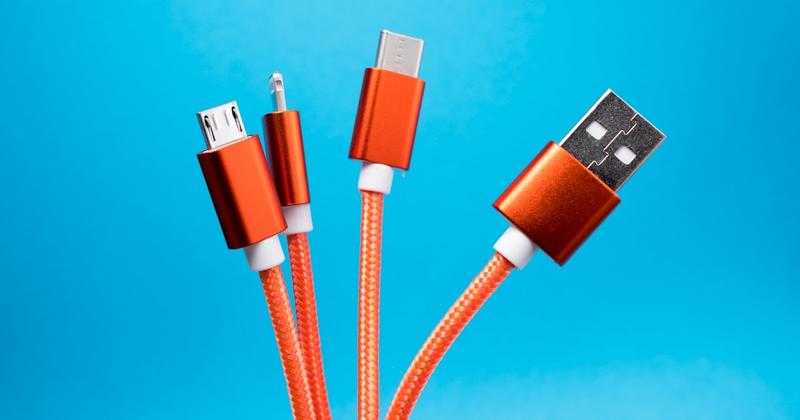
2024+ Crosstreks moved to USB-C ports for both charging and data. On paper, this should be cleaner. In practice, it introduced a new failure mode: some third-party USB-C-to-USB-C cables charge the phone but never start CarPlay on the Crosstrek head unit. You plug in. The phone charges. CarPlay never loads.
The diagnostic that confirms this is the cable:
- Plug iPhone into the front USB-C port with your current cable.
- If you see the iPhone charging icon but CarPlay still doesn't launch after a few seconds, the cable is the suspect.
- Swap to an Apple-branded USB-C Charge Cable(the one that ships in the iPhone 15/16/17 box) or an MFi-certified cable explicitly listed as “CarPlay compatible.”
- If CarPlay launches on the swap, you found it. Buy a second cable, leave one in the car.
A high-wattage third-party charge cable is a classic culprit here. It powers the phone fine, but it may not carry the data lines CarPlay needs. Apple's in-box cable does. Some Crosstrek trims also support wireless CarPlay; if yours does and cable swaps still fail, follow the Outback Wi-Fi hotspot fix above — same root cause.
Ascent CarPlay — the third-row USB port problem
On 2023+ Ascents with the optional rear entertainment package, only the front center console USB-C is wired for CarPlay data. The two USB ports in the second row and the single port in the third row are charging-only — they don't carry the USB data lines CarPlay needs.
The fix here is almost too simple: plug the iPhone into the front USB-C port, not the rear one. The reason this catches Ascent owners: there's no labeling difference — both ports look identical, and which one carries data is only spelled out in the owner's manual. Subaru could fix this with a sticker. They haven't.
Need to charge the phone in the back seat while running CarPlay? Use wireless CarPlay if your Ascent trim supports it. Let a rear-seat passenger plug in for charging only.
More from your CarPlay screen
Get more out of your Subaru's CarPlay screen
Car Play Connect adds custom widget tiles to your CarPlay screen — weather, your photos, a date-and-time readout — plus a custom startup sound. Free to try.
Car Play Connect: Auto Sync
Free to try
When to stop troubleshooting and visit the dealer
If you've done all of the above and CarPlay still fails, the most likely remaining cause is a hardware fault in the infotainment or Data Communication Module (DCM) that a dealer needs to diagnose. Symptoms that point at hardware rather than firmware:
- CarPlay icon never appears on the head unit at all, even after firmware update.
- The USB-C port works for charging but not for any data device (iPhone or otherwise — test with a USB stick).
- Bluetooth pairing itself fails or drops repeatedly within minutes.
- Head unit reboots randomly while driving.
Any of those, book a service appointment. First, check whether the repair is covered — you don't want to pay out of pocket for something still under warranty. Your MySubaru account or your dealer can confirm the status. Coverage depends on your model year, mileage, and the exact fault, so get the specific terms from the dealer before the work starts.
For the broader CarPlay troubleshooting flow — the questions to ask before you suspect the car at all — see our CarPlay diagnostic flowchart and the 15 reasons CarPlay won't connect post. Those cover the iPhone-side checks worth ruling out before you suspect the car at all.
Frequently Asked Questions
Does every Subaru support wireless CarPlay?
No — it depends on the model year and trim, and availability has expanded over time. Base trims generally still require a wired USB-C connection. Wireless tends to show up on higher trims of more recent model years. A spec list goes stale every model year, so don't trust one — check the window-sticker spec sheet instead. Look for “Wireless Apple CarPlay”; it's a separate line from the standard CarPlay listing. Subaru's build-and-price tool confirms it for your exact configuration.
Will a Starlink update permanently fix CarPlay?
Usually, yes — but Subaru ships new Starlink firmware periodically, and any update carries a small chance of regressing something. Check for new firmware now and then, and install updates as they appear. If a future update breaks CarPlay again, the fix order above is still the right order to try.
Why does CarPlay disconnect when I shift into reverse on my Subaru?
That's by design. The backup camera takes over the head unit screen when reverse is engaged, which suspends the CarPlay session. It should resume automatically when you shift back to Drive. If it doesn't resume, install the latest Starlink update — older firmware is more prone to leaving the CarPlay session suspended.
My Forester's CarPlay icon is greyed out — what does that mean?
A greyed-out icon usually means the head unit sees the connection but isn't getting a completed handshake back from the phone. Whatever the exact internal cause, the fix is almost always the same: unlock the iPhone first, then plug it in. In practice the head unit expects the phone to be unlocked at the moment of plug-in, so a locked phone is the first thing to rule out.
Can I use CarPlay on a Subaru without a data plan?
Yes. CarPlay runs over the local USB or Wi-Fi link between the iPhone and the head unit — no Subaru Starlink subscription required. Starlink Safety and Security plans are unrelated to CarPlay functionality. If a dealer tells you otherwise, get a second opinion.
Why did my Apple CarPlay suddenly stop working in my Subaru?
A sudden Apple CarPlay failure almost always follows a change — an iOS update, a Starlink firmware push, or a swapped cable. Work the fix order above: install the latest Starlink update, then hold the head-unit power knob for 10 seconds to reboot. If it still fails, rule out the cable and USB port next. On wireless trims, turn off the in-car Wi-Fi hotspot first.
If you've got the Subaru CarPlay basics working but want to actuallydomore with the screen — pin your photos, add a weather or date-and-time tile, set a custom startup sound — that's what we built Car Play Connect for. Free to try, no Starlink subscription required.