Add Car Widgets
On this page▾
- TL;DR — how to use this hub
- Symptom-to-fix matrix
- Diagnose by symptom (the fastest path for most readers)
- By car brand — fixes for Subaru, Mazda, Audi, Chevrolet
- By iOS version — what each update broke (and fixed)
- By connection type — wired vs wireless CarPlay
- The 10 most common CarPlay fixes (numbered, link per fix)
- Still stuck? Get expert help
- FAQ
Quick answer
Five common CarPlay problems: (1) not showing — try a different cable or USB port; (2) disconnecting — replace the cable; (3) “Enable Siri” error — re-enable in Settings → Siri & Search; (4) apps missing — add via Settings → CarPlay → Customize; (5) no audio — select CarPlay as audio output in the head unit.
CarPlay-not-working questions — on the Apple support forums, in YouTube comments, and (most often) in the r/CarPlay megathreads — almost always fall into one of five buckets: a symptom you can describe in three words, a known issue with your car brand, a regression in a specific iOS version, a wired-vs-wireless failure mode, or one of about ten root causes that account for the vast majority of cases.
This page is the navigation map. Every CarPlay troubleshooting post on the site is linked below, organized five ways so you can find the right fix on the first click instead of the fourth. If you're in a hurry, jump to the 10 most common fixes — they cover most of what I see in the inbox. If you have time, start with diagnose by symptom and let the symptom pick the right deep-dive post. New to this? Start with the CarPlay not working fix guide — seven fixes, fastest first — then come back here to drill into your exact case.
TL;DR — how to use this hub
Five ways to find the right fix. (1) By symptom— pick “CarPlay won't connect,” “drops mid-drive,” “charging but no CarPlay,” etc. Each links to a dedicated post. (2) By car brand— Subaru, Mazda, Audi, Chevrolet each have known issues you won't find in generic guides. (3) By iOS version — iOS 26.0 broke wired handshake, 26.1 broke wireless reconnect, 26.2 patched both. (4) By connection type — wired and wireless fail for completely different reasons; running the wrong fix wastes 20 minutes. (5) The 10 most common fixes — numbered list, ranked by how often each is the actual culprit. Most readers find their fix in routes 1, 3, or 5.
Symptom, likely cause, and where to go — at a glance
The same symptom routes condensed into one lookup: match your symptom, read the likely cause, then open the linked deep-dive below. If you can't pin your problem to a single row, start with the flowchart — it catches the rest.
| Symptom | Likely cause | Where to go |
|---|---|---|
| Won't connect at all | Broad — cable, pairing, or phone-side; needs the decision tree | The diagnostic flowchart (7-step decision tree) |
| “Not available” / greyed out on the iPhone | Phone-side: region, Siri, or the Screen Time toggle that hides CarPlay | Diagnose Apple CarPlay by where it breaks |
| Charges but CarPlay never starts | Non-data cable, charging-only USB port, or debris in the connector | The 4-test charging-but-no-CarPlay fix |
| Drops mid-drive or randomly disconnects | Bluetooth co-channel interference or the iOS 26.0 disconnect bug | 15 reasons CarPlay disconnects |
| Black screen, audio still plays | Display froze (connection is fine); the dimmer wire explains night-only cases | The CarPlay black screen fix (6 steps) |
| Lyrics stopped scrolling after an iOS update | Almost always one of five things, in that order | Dynamic lyrics on CarPlay — 5-step fix |
Diagnose by symptom (the fastest path for most readers)
If you can describe what's going wrong in a short sentence, this is the fastest path to the right fix. Each symptom links to a dedicated post with the step-by-step order of operations. Use this if you're reading on your phone in the driveway and want to be back on the road in ten minutes.
- “CarPlay won't connect at all” → The diagnostic flowchart that fixes the common cases. The single-best starting post on the site. Seven-step decision tree; most cases resolve at steps 1-3.
- “Apple CarPlay not available / greyed out on my iPhone” → Diagnose Apple CarPlay by where it breaks. Starts on the phone side — region, Siri, and the Screen Time toggle that hides CarPlay — before it touches the cable or the car.
- “Phone charges but CarPlay never starts” → The 4-test fix for charging-but-no-CarPlay. Almost always a non-data cable, a charging-only USB port, or debris in the Lightning connector. Under 10 minutes to diagnose.
- “CarPlay drops mid-drive or randomly disconnects” → 15 reasons CarPlay disconnects (with the fix for each). Ranked by how often each is the culprit. Bluetooth co-channel interference and the iOS 26.0 disconnect bug both live here.
- “I want to turn CarPlay off / disconnect it” → every way to turn off CarPlay (temporary, permanent, per-car, Screen Time). The unplug-the-cable answer doesn't always stick. This covers every real method.
- “Lyrics stopped scrolling on CarPlay after the iOS update” → Dynamic lyrics on CarPlay not working — 5-step fix. The fix is almost always one of five things, in that order.
- “CarPlay screen is black but the audio still plays” → The CarPlay black screen fix (6 steps). The connection is usually fine and only the display froze — a head-unit reboot clears most cases, and the dimmer wire explains the ones that only go black at night.
By car brand — fixes for Subaru, Mazda, Audi, Chevrolet, Nissan, Toyota, Honda
Some CarPlay failures are model-specific — a head-unit firmware bug, a Bluetooth quirk in a particular trim level, a USB-C cable spec mismatch that only shows up on cars built after a certain date. Generic CarPlay troubleshooting won't catch these. Use the brand-specific posts when the issue only happens on your car (or in your friend's identical model).
- Subaru — Forester, Outback, Crosstrek, Ascent. Subaru CarPlay not working — full fix guide. A Starlink firmware update can leave wired CarPlay flaky on the Forester; the wireless handshake sometimes never finishes on the Outback; 2024+ Crosstreks have a USB-C cable spec mismatch you fix at the cable, not the car.
- Mazda — CX-5, Mazda 3, MX-5. Mazda CarPlay not working — complete fix guide. Mazda Connect 75.00.500 broke wireless CarPlay on most 2024+ cars; the Commander knob occasionally locks the CarPlay UI; pre-2018 CX-5s never officially supported CarPlay at all.
- Audi — A3, A4, Q5, e-tron GT. Audi CarPlay not working — fix order. Audi's Smartphone Interface drops CarPlay more often than any other premium brand. MMI Touch, MMI Plus, and MIB3 head units each fail differently.
- BMW — 3 Series, X3, X5, i4, iX. BMW CarPlay not working — wireless fixes by iDrive version. BMW is wireless-only, so a cable never helps; drops trace to Bluetooth/Wi-Fi, a Personal Hotspot conflict, or an iDrive that needs a reboot.
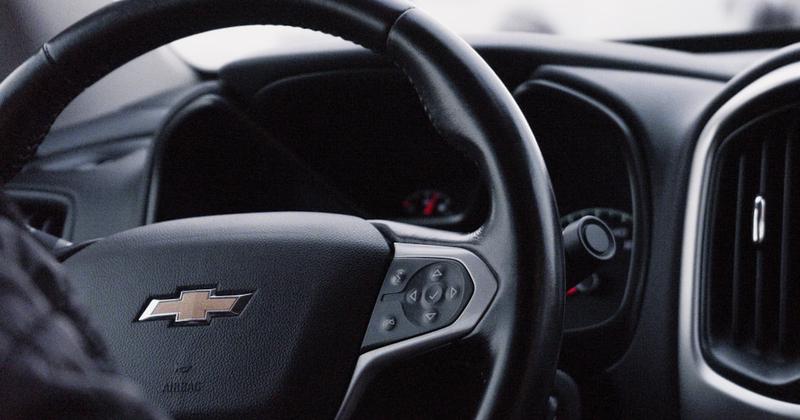
- Chevrolet — Silverado, Equinox, Tahoe, Bolt EV. Chevy CarPlay not working — Silverado, Equinox, Tahoe, Bolt fix. Infotainment 3 cars drop CarPlay more than Infotainment 4; the Silverado has a wireless quirk all its own.
- Nissan — Rogue, Sentra, Altima. Nissan CarPlay not working — Rogue, Sentra, Altima fix guide. NissanConnect's USB hub drops sessions mid-drive on the Rogue; the Sentra renders black screens; the power-knob reboot fixes more than it should.
- Toyota — Camry, RAV4, and the Entune-era cars. Toyota CarPlay not working — Camry, RAV4, Entune fix guide. Two infotainment generations fail differently: Audio Multimedia breaks wireless, Entune hides a CarPlay enable toggle dealers forget to flip.
- Honda — Civic, Accord, CR-V. Honda CarPlay not working — Civic, Accord, CR-V fix guide. The charge-only port next to the data port catches CR-V owners constantly; the ten-second power-button reboot is the house remedy.
- Chrysler — Pacifica and Pacifica Hybrid. Chrysler Pacifica CarPlay not working — Uconnect 4 & 5 fix guide. The front media USB port is the only one that carries CarPlay; Uconnect 4 is wired-only while 2021+ Uconnect 5 adds wireless.
- Jeep — Wrangler, Grand Cherokee, Gladiator. Jeep CarPlay not working — Wrangler, Grand Cherokee, Gladiator fix guide. Same Uconnect as the Pacifica, plus a trail-vibration quirk that works the USB-A plug loose on off-road models.
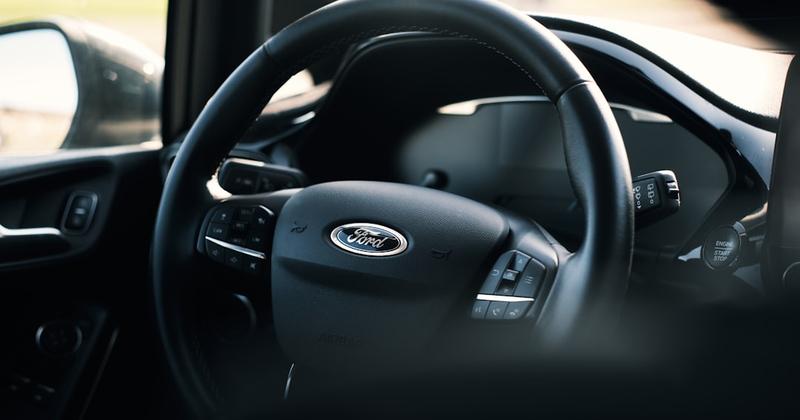
- Ford — F-150, Bronco, Mustang Mach-E. Ford CarPlay not working — SYNC 3 & SYNC 4 fix guide. SYNC 3 is wired and fails at the port and cable; SYNC 4 is wireless and fails at Wi-Fi and pairing. A master reset is the last software step before the dealer.
- Volvo — XC90, XC60, XC40, S60/S90. Volvo CarPlay not working — Sensus & Google Built-in fix guide. Sensus cars are wired-only and fail at the port; Google-based cars added wireless CarPlay by update and fail at the pairing.
If your car brand isn't in the list above yet, start with the generic CarPlay flowchart — it catches the brand-agnostic causes (which is most of them). Hyundai is next in the queue. Three symptom guides also live alongside the brand pages: CarPlay keeps disconnecting, the “CarPlay Not Available — Enable Siri” error (or the fuller guide to enabling Siri for CarPlay), and the full CarPlay reset procedure.
By iOS version — what each update broke (and fixed)
iOS updates are the second-biggest cause of “CarPlay used to work and now it doesn't.” Most major iOS releases since iOS 13 have shipped at least one CarPlay regression. The good news: most are patched within a point release. The bad news: if you skipped the patch, you're still on the broken version. Match your current iOS to the row below.
- iOS 26.0 (Sept 2025) — Shipped with a wired-handshake regression that disabled CarPlay on a minority of iPhones after the upgrade. Toggle reset to off in Settings on a meaningful slice of devices. Fix: update to 26.0.1 (Oct 2025) or later.
- iOS 26.1 (Nov 2025) — Broke wireless reconnect — CarPlay would connect once per drive then refuse to reconnect after a parking stop. Patched in 26.1.1.
- iOS 26.2 (Dec 2025) — Largest CarPlay update since 26.0. Three new widget templates, Live Activities rendering rewrite, the lyrics stutter fix, wireless reconnection improvements. Full breakdown of every iOS 26.2 CarPlay change.
- iOS 26.3 (early 2026) — Lyrics widget fix, AQI widget bug fix, minor wireless reliability improvements.
If your CarPlay broke specifically after an iOS update, update again — every regression in the table above was patched within 4-6 weeks. If you're on 26.2 or later and still broken, the issue isn't iOS — move to connection type below.
When the update broke it
When an iOS update takes CarPlay down, the fix that needs no handshake is already on your phone
Car Play Connect's Mount Mode runs CarPlay-style widget tiles and big-tap targets on the iPhone itself — no cable, no pairing — so an iOS handshake regression can't stop it. Free to try.

Car Play Connect: Auto Sync
4.6·2,300+ ratings·Free to try

By connection type — wired vs wireless CarPlay
Wired and wireless CarPlay fail for completely different reasons. Running the wireless fix on a wired problem (or vice versa) wastes 20 minutes. Take 10 seconds to identify which one you're running, then pick the matching deep-dive.
Quick test:if you're plugged in and the phone is charging but CarPlay does not launch, you're on wired and have a data-path problem. If you're not plugged in and CarPlay used to launch automatically when you got in the car but no longer does, you're on wireless and have a pairing problem.
- Wired CarPlay not working — the single biggest cause is a cable that charges your phone but cannot carry data. Charging-only cables look identical to data-and-charging cables. Start with Phone charging but CarPlay not working for the 4-test cable diagnosis, then the diagnostic flowchart for the broader cause tree.
- Wireless CarPlay not connecting — almost always a Bluetooth pairing cache that picked up a corrupted entry. The fix is to forget the car on the iPhone AND on the head unit, toggle both Bluetooth and Wi-Fi off and on, then re-pair from the car side, not the phone side. Full walkthrough in why is my CarPlay not working, reasons 3-7.
The 10 most common CarPlay fixes (numbered, link per fix)
If you don't know where to start and don't want to run a diagnostic flowchart, these are the ten fixes ranked from the most common culprit to the least. Try them in order. Most issues are fixed at step 1, 2, or 3.
- Swap the cable for a known-good MFi-certified one. Charging-only cables are the #1 cause of wired CarPlay not working. A genuine MFi-certified cable from Anker, Belkin, Nomad, or Apple solves this. Full diagnosis: Phone charging but CarPlay not working.
- Forget the car on iPhone, then re-pair from the car side. iPhone Settings → General → CarPlay → your car → Forget This Car. Then start pairing from the head unit, not the phone. The single most effective wireless CarPlay fix. Full forget-and-repair walkthrough.
- Update iOS to 26.2 or later.Every major CarPlay regression since iOS 26.0 was patched by 26.2. If you're still on 26.0 or 26.1, this fix is worth more than the next eight combined. iOS 26.2 CarPlay change log.
- Check Settings → Screen Time → Content & Privacy Restrictions → Allowed Apps. CarPlay can be hidden here if Screen Time was enabled. This catches a small minority of inbox cases and almost nobody thinks to check it.
- Try a different USB port on the head unit. Most cars have 2-3 USB ports and only one is wired for data — the others are charging-only by design. The data port is usually labeled with a small CarPlay or smartphone icon. Reasons CarPlay drops on the wrong USB port.
- Clean the iPhone's Lightning or USB-C port.Pocket lint compacts inside the connector and prevents a clean data connection. Use a wooden toothpick — never metal — to gently scrape it out. Apple Stores will clean the port for free if you're nervous.
- Toggle Bluetooth and Wi-Fi off, wait 30 seconds, toggle back on. Wireless CarPlay uses Bluetooth for handshake and Wi-Fi for the actual video stream. A radio reset clears corrupted pairing state without forgetting the car.
- Apply your car brand's known fix.Subaru, Mazda, Audi, and Chevrolet each have brand-specific issues that the generic flowchart won't catch. See the Subaru, Mazda, Audi, and Chevrolet deep-dives.
- Factory-reset the head unit's infotainment system. Most cars have a hidden reset in Settings → System → Reset. This wipes paired devices and forces a clean re-pair from scratch. Warning: also wipes saved radio presets and navigation favorites.
- Run the full diagnostic flowchart.If steps 1-9 didn't fix it, the issue is rarer than the top causes. The full 7-step CarPlay diagnostic flowchart covers the long tail.
Still down after 10 fixes?
If none of the ten fixes stuck, you still don't have to drive with a dead dashboard
Car Play Connect gives you a CarPlay-equivalent screen on a mounted iPhone — same big-tap widgets — in any car, any iOS version, while you wait on a dealer or Apple appointment.
Car Play Connect: Auto Sync
Free to try
Still stuck? Get expert help
If you've worked through the 10 fixes above and the relevant deep-dive post and CarPlay is still broken, the issue is in the long tail — head unit firmware, dealer- side software, or a hardware fault on either the iPhone or the car. Before booking an appointment, run one final triage: is this happening on every iPhone, or just yours? Is it happening on every cable, or just the one in the car? Is it happening on every drive, or only when the cabin temperature is above 90°F (a known thermal-throttle pattern on older Lightning ports)? The answer to those three questions will save the technician twenty minutes and you a follow-up visit.
Once you've triaged, the right resource depends on which side is failing:
- If the iPhone is the suspect— book an Apple Store appointment. They'll diagnose port damage, Lightning/USB-C cable wear, and Bluetooth radio issues in under 20 minutes, for free, even out of warranty. Apple's official CarPlay support page lists the diagnostics they'll run.
- If the head unit is the suspect— call the dealer service line and ask specifically for a head-unit firmware check against the latest release for your model year. Many brands push CarPlay-related firmware fixes that don't flow over the air; you need a dealer visit to apply them.
- If you're not sure— try the iPhone in a friend's car. If CarPlay works there, the problem is your car. If not, the problem is your phone. Five-minute test, eliminates half the diagnostic space.
While you're waiting on a dealer or Apple Store appointment, Mount Mode gives you a CarPlay-equivalent experience running on the iPhone itself in a vent or cup-holder mount. Same big-tap targets, same widget templates, no CarPlay handshake required. Works in every car, every iOS version, starting tonight.
FAQ
Where do I start if CarPlay just stopped working today?
Three checks in this order: (1) Has your iPhone updated to a new iOS version in the past 48 hours? If yes, update again — 26.0 and 26.1 both shipped CarPlay regressions Apple patched within weeks. (2) Has the cable been swapped or moved? Try a known-good MFi cable in a different USB port. (3) Has the car had a software update or dealer visit recently? Some brands push head-unit firmware that breaks CarPlay temporarily. If all three are no, jump straight to the diagnostic flowchart.
Why does this site have so many CarPlay troubleshooting posts?
Because CarPlay fails in ways that look identical but have different root causes — and a single generic guide makes you read 4,000 words to find the 200 that apply to you. The brand-specific, symptom-specific, and iOS-version-specific posts each fix one problem fast. This hub exists so you find the right post on the first click. The flowchart post is the single best starting point if you can't describe the symptom in one sentence.
Is CarPlay broken in iOS 26.2 specifically?
No — iOS 26.2 is the most stable CarPlay build since 26.0 shipped. It patched the wired handshake regression from 26.0 and the wireless reconnect bug from 26.1, plus added the lyrics stutter fix and three new widget templates. If you're on 26.2 or later and CarPlay is still broken, the issue is your car, your cable, or a brand-specific bug — not iOS. Full change log: iOS 26.2 CarPlay new features.
What about widgets and customization, not troubleshooting?
Different pillars on the site cover those. Widgets is the hub for the iOS 26 widget stack — which ones earn the slot, how to add and reorder them, and the ones to skip. Soundscovers custom startup sounds, the Shortcuts route, and the dedicated app route. If you're here because CarPlay works but a specific widget or sound stopped, follow those pillars — not this hub.
Can I get CarPlay-like functionality without a working CarPlay connection?
Yes. Mount Moderuns on your iPhone in a vent or cup- holder mount with the same big-tap targets, dark-mode-on-glass aesthetic, and widget templates you'd get from CarPlay. Works in Teslas, in pre-2016 cars without CarPlay support, on motorcycles, in rentals where the head unit is broken — anywhere a CarPlay handshake fails. Five-minute setup, works on every iPhone running iOS 17 or later.
How long should each fix take before I move on to the next one?
Rule of thumb: cable swap, USB port swap, and forget-then-repair should each take under 5 minutes. If you're past 15 minutes on one fix and nothing has changed, move on. A common mistake is spending two hours on a Bluetooth reset cycle when the actual issue was a charging-only cable — diagnosable in 60 seconds with a known-good MFi cable swap. Speed through the first three fixes before going deep on any one of them.
Does this hub get updated as iOS versions ship?
Yes. Every time Apple ships a CarPlay-relevant point release (typically every 6-8 weeks), the iOS version tableabove gets a new row with what shipped, what broke, and what was patched. Bookmark this page and check the iOS version section when CarPlay breaks after an update — the regression you're hitting is almost always already documented. If it quit right after moving to iOS 26, the iOS 26 CarPlay not working guide walks the update-specific causes in order.
If this hub got you to the right fix, the deep-dive posts each have their own FAQ and flowchart — bookmark the ones for your car brand and your most-common symptom. If a common CarPlay issue isn't covered yet, leave a note and I'll add it to the next batch of posts.
Sources: Apple Support — CarPlay; Apple Discussions — iPhone accessories; r/CarPlay — iOS 26 known issues megathread.