Add Car Widgets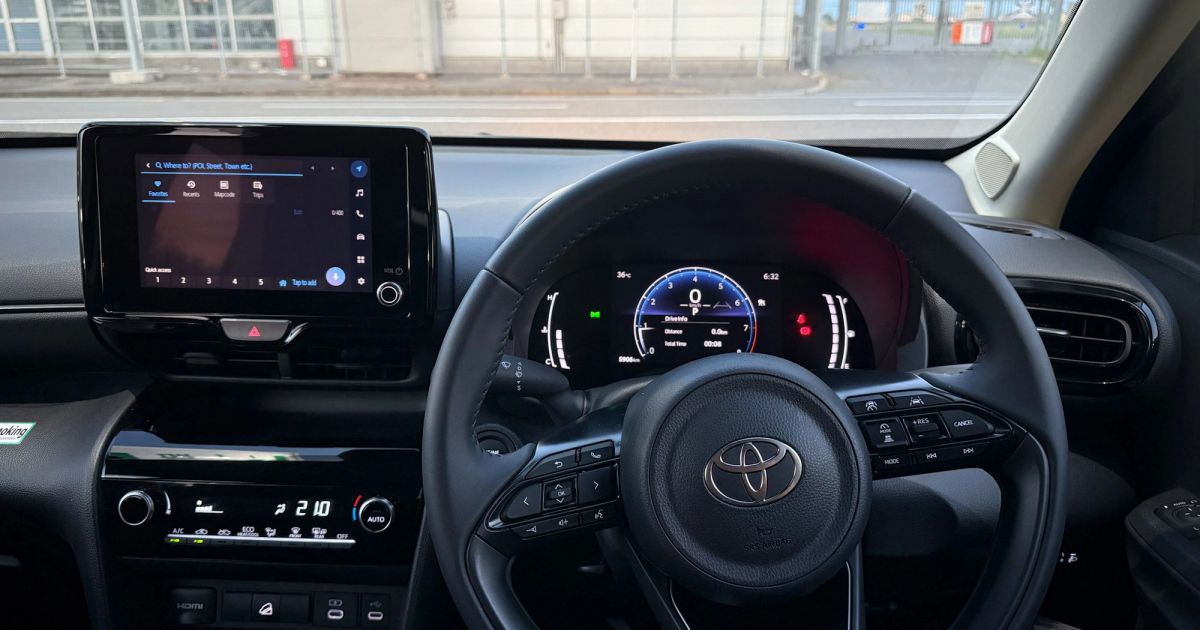
On this page▾
- The 30-second CarPlay screen test
- Method 1: Use your car's built-in CarPlay screen
- Method 2: Add a CarPlay screen with an aftermarket head unit
- Method 3: Add a portable or standalone CarPlay screen
- Method 4: Turn your iPhone into a CarPlay screen
- Fix 5: When a CarPlay screen goes black or won't show
- Frequently Asked Questions
Quick answer
A CarPlay skärm is simply the screen that runs Apple CarPlay in your car. You can get one four ways: use your car's built-in display, install an aftermarket head unit, add a portable CarPlay screen, or mount your iPhone and run a CarPlay-style dashboard. Which one fits depends on your car and budget.
“CarPlay skärm” is just the Swedish way of saying CarPlay screen— the display that shows Maps, music, and messages while you drive. There are four routes: a factory screen, a replacement head unit, a portable 7-inch unit, or an iPhone mounted in a car with no CarPlay at all. Each one gets you a CarPlay screen; they just cost different amounts and take different effort.
This guide covers every honest option, cheapest to most involved, so you can pick the one that fits your car. New to CarPlay itself? Start with what CarPlay is (vad är CarPlay) or how to set up Apple CarPlay first, then come back to choose a screen.
The 30-second CarPlay screen test
Before you buy anything, find out what you already have. Plug your iPhone into the car's data USB port — the one near the screen, not a back-seat charging port — start the engine, and watch the display:
- A CarPlay screen loads.Your car already has a CarPlay skärm built in. Skip to Method 1 to get the most out of it.
- Nothing happens on any USB port.Your car has no CarPlay screen, and no cable or adapter can add one — you need a new screen. Methods 2, 3, and 4 each add one.
- You drive a Tesla or a pre-2014 car.These never shipped a CarPlay screen and can't be updated to one. Method 4 (a mounted iPhone) is usually the practical answer.
Not sure whether your car was ever offered with CarPlay? The list of cars with Apple CarPlay settles it by make and year in a minute.
No screen in the car?
Turn the iPhone in your hand into the CarPlay screen
If the 30-second test came up empty — a Tesla, an older car, a rental — Car Play Connect's Mount Mode runs a CarPlay-style dashboard on a mounted iPhone: big maps, a GPS speedometer, and glanceable widgets, with audio over Bluetooth. Free to try before you spend a cent on hardware.

Car Play Connect: Auto Sync
4.6·2,800+ ratings·Free to try


Here's how the four routes compare, so you can jump straight to the one that fits your car and budget:
| Route | Rough cost | Wireless? | Best for |
|---|---|---|---|
| Built-in CarPlay screen | $0 (already fitted) | Often, 2020+ | Cars from ~2016 that shipped with CarPlay |
| Aftermarket head unit | $300–800 installed | Many models | Older cars, a permanent factory-like screen |
| Portable CarPlay screen | $80–200 | Usually wireless | A cheap add-on with no dash surgery |
| iPhone as screen (Mount Mode) | Free to try | N/A (phone) | Teslas, rentals, cars you won't modify |
Method 1: Use your car's built-in CarPlay screen
If the 30-second test showed a CarPlay screen, you already own the best kind — a factory display wired into your car's speakers, steering-wheel buttons, and microphone. There's nothing to buy. The steps to switch it on:
- Plug your iPhone into the data USB port with a known-good cable.
- Tap Allow when the car or iPhone asks to use CarPlay.
- If your car lists Wireless CarPlay in its Bluetooth menu, pair once and you can drop the cable next time.
When this won't work: a charge-only cable or the wrong USB port makes a working car look like it has no CarPlay. If you know your car has a CarPlay screen but it never loads, walk through why Apple CarPlay isn't working before assuming the screen is dead. Want to go cable-free? See how to get wireless CarPlay.
Method 2: Add a CarPlay screen with an aftermarket head unit
No built-in screen? The closest thing to a factory CarPlay skärm is a replacement head unit. You pull the old stereo and drop in a new one with a CarPlay display built in. Done well, it looks and behaves like the car came with it.
- Measure your dash opening — single-DIN (2 in tall) or double-DIN (4 in tall) — so you buy a unit that fits.
- Pick a CarPlay head unit from a known brand: Pioneer, Kenwood, Sony, or Alpine all make them.
- Buy the matching dash kit and wiring harness for your exact make, model, and year.
- Install it yourself if you're handy, or pay a shop — total is usually $300–800 installed.
When this won't work:cars with climate controls or dials baked into the original screen are harder — you may need a brand-specific integration kit, which costs more. For a car that already has wired CarPlay and you only want to lose the cable, skip the new unit and read the wireless CarPlay adapter guide instead; an adapter is far cheaper than a head unit.
Before you spend on hardware
A $0 CarPlay screen you can try tonight
A new head unit is a real fix, but it's $300–800 and a shop visit. Car Play Connect's Mount Mode gives you a CarPlay-style screen on the iPhone you already own — big maps, a speedometer, and widgets — so you can see whether a phone screen is enough before you rewire the dash.
Car Play Connect: Auto Sync
Free to try
Method 3: Add a portable or standalone CarPlay screen
A portable CarPlay screen is a self-contained display that sits on your dash and runs CarPlay from its own box. You don't open the dashboard at all — it powers from a 12V socket and pipes audio to your car over Bluetooth or a short FM broadcast. Setup takes about ten minutes.
- Mount the screen on the dash or windshield with the included bracket.
- Run the power cable to a 12V (cigarette-lighter) socket.
- Connect your car's audio: pair the unit to your car over Bluetooth, or tune it to an empty FM station.
- Pair your iPhone to the unit and CarPlay loads on the new screen — most portable units are wireless.
When this won't work:the audio hop is the weak link. FM broadcast can hiss, and cheap units add a small lag between video and sound. A visible box and a power cable on the dash also aren't for everyone. If a tidy, permanent screen matters, Method 2 is worth the extra money; if free-and-flexible matters, Method 4 skips the extra hardware entirely.
Method 4: Turn your iPhone into a CarPlay screen
The phone in your pocket already has the best screen in the car. Mount it and run a dashboard app, and you get a CarPlay-style skärm with zero extra hardware. It is the natural route for a Tesla, which has no CarPlay screen and can't get one. Car Play Connect's Mount Mode is built for exactly this.
- Put your iPhone in any car mount — vent, suction, dash, or cup-holder.
- Open Car Play Connect and switch on Mount Mode.
- You get maps, a GPS speedometer, driver-mode buttons, and hands-free dialing on the phone screen.
- Send audio to your car over Bluetooth (or a $15 FM transmitter if the car has no Bluetooth).
The honest limit:a mounted iPhone won't control your car's own display or steering-wheel buttons the way a wired-in screen does. But it turns any phone mount into a driver screen — large, bright, and readable — for the Teslas, rentals, and older cars that can't run native CarPlay at all. It's free to try, so it costs nothing to see if a phone screen is enough.
Fix 5: When a CarPlay screen goes black or won't show
Already have a CarPlay screen that suddenly went dark? A black or blank CarPlay skärm is almost always a connection or power issue, not a broken display. Work through these in order:
- Swap the cable and USB port — a failing cable is the single most common cause of a black CarPlay screen.
- Restart both devices: turn the car fully off and back on, and restart your iPhone.
- Toggle CarPlay off and on in Settings → General → CarPlay and re-pair the car.
- Check for an iOS update and a car software update — a mismatched pair often blanks the screen after an update.
When this won't settle it: if the screen stays black after all four, the full walkthrough in why CarPlay isn't working covers the rarer causes, from Siri being disabled to a USB restriction setting. For a portable unit, a black screen usually means the 12V socket only has power in accessory mode.
Frequently Asked Questions
What is a CarPlay skärm?
A CarPlay skärm is the screen that displays Apple CarPlay in your car — “skärm” is simply Swedish for screen or display. It can be your car's built-in center display, an aftermarket head unit you install, a small portable CarPlay monitor, or your mounted iPhone running a CarPlay-style dashboard. All four show the same CarPlay apps.
Can I add a CarPlay screen to an old car?
Yes. You can add a CarPlay screen to almost any older car by fitting an aftermarket head unit from Pioneer, Kenwood, Sony, or Alpine, which usually costs $300–800 installed. If you'd rather not rewire the dash, a portable CarPlay screen or a mounted iPhone with Car Play Connect's Mount Mode gives you a CarPlay-style display for far less.
How much does a CarPlay screen cost?
A CarPlay screen costs anywhere from nothing to about $800. A mounted iPhone running a dashboard app is free to try; a portable CarPlay screen runs roughly $80–200; and an aftermarket head unit with CarPlay costs about $300–800 installed. Cars with a built-in CarPlay display cost nothing extra — you already have the screen.
Do portable CarPlay screens work well?
Portable CarPlay screens work well for navigation and music, but they have limits. They run on their own box, mount on the dash, and take power from a 12V socket, so cables are visible. Audio reaches your speakers over Bluetooth or FM, which can lag. For a cleaner result, a built-in or aftermarket screen is better.
Can I use my iPhone as a CarPlay screen?
Yes. You can use your iPhone as a CarPlay-style screen by mounting it and running a dashboard app like Car Play Connect's Mount Mode. It shows large maps, a GPS speedometer, and glanceable widgets, with audio over Bluetooth. It won't control your car's own display, but it turns any phone mount into a driver screen.
Whichever screen you land on, standard CarPlay still leaves the display thin — even iOS 26 skips a GPS speedometer, album-locked Photos, and destination weather. Car Play Connect adds 11 car-tuned widgets, a custom startup sound, and a Mount Modedashboard for the cars that have no CarPlay screen at all. Or read Apple's own CarPlay overview and its list of CarPlay cars.