Add Car Widgets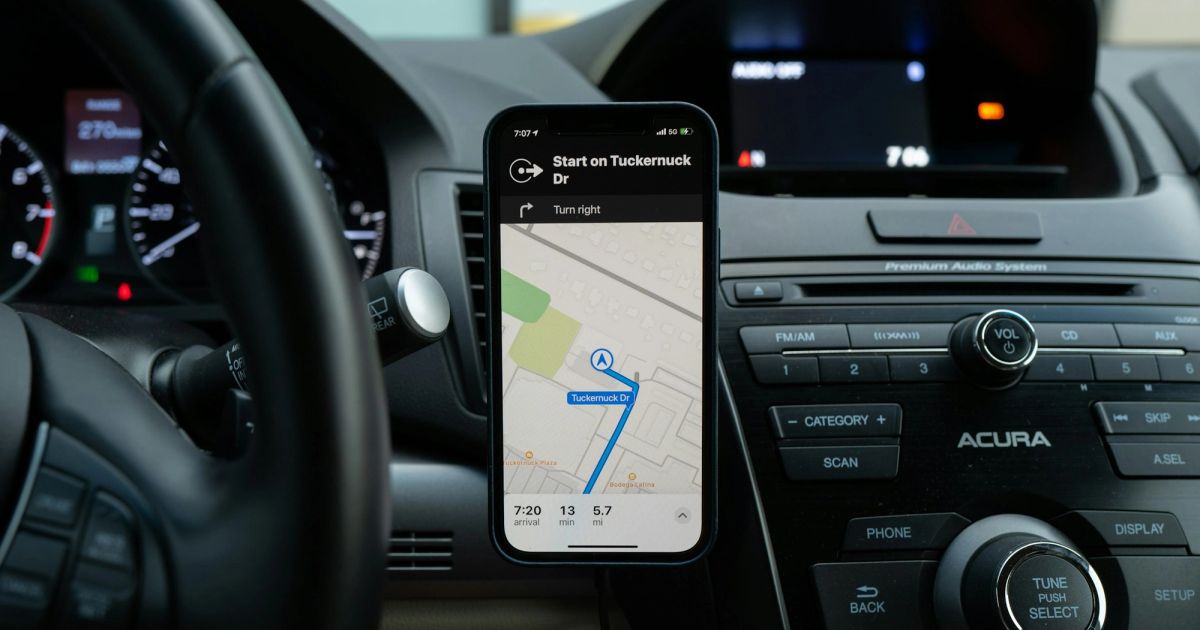
On this page▾
Quick answer
To connect CarPlay, plug your iPhone into the car's CarPlay-labelled USB port with a data cable and tap Allow — the screen loads in seconds. For wireless CarPlay, open Settings → General → CarPlay, pick your car, and pair over Bluetooth. Older cars without CarPlay need an adapter or a new head unit.
Wired CarPlay is a two-second job; wireless is a two-minute job the first time, then instant. The honest catch: some cars sold here still ship wired-only, and a handful of base trims skip CarPlay entirely. This guide covers every route, and how to tell which one is yours.
If you just want to know what CarPlay is before you connect it, our plain-English CarPlay guide for Australian drivers covers that first. Driving something older that skips CarPlay? See CarPlay for older cars for the adapter and stereo routes. Otherwise, start with the 30-second test below.
What you need before you connect
Four things decide whether CarPlay connects on the first try. Check all four before you plug anything in — it saves the usual ten minutes of unplugging and replugging.
- A supported car. Almost every car sold in Australia since about 2018 has CarPlay, but base trims and fleet builds sometimes skip it. Look for the CarPlay icon near a USB port or in the connectivity menu. For a make-by-make check, see which cars have Apple CarPlay.
- An iPhone on iOS 7.1 or later.Any iPhone from the last decade qualifies. For the modern layout — widgets, native lyrics, the redesigned home screen — you want iOS 17 or newer, and iOS 26 for everything current.
- A data-grade cable (for wired).Wired CarPlay needs a cable that carries data, not just power. Apple's own cables work, and most decent third-party ones do too. The charge-only cables bundled with battery packs do not.
- Bluetooth and Wi-Fi on (for wireless). Wireless CarPlay uses Bluetooth for the handshake and Wi-Fi for the data stream. Both have to be on in Settings, not just toggled off in Control Centre.
The 30-second connect test
Before you pick a method, work out what your car actually supports. Do these three things in order:
- Find the front USB port and check for the CarPlay icon (a car with a phone inside) printed beside it.
- Plug your iPhone in and start the car — if CarPlay pops up on its own, you're wired and done.
- No cable prompt? Open the car's connectivity menu and look for “Apple CarPlay” or a wireless pairing option.
A labelled USB port means wired (Method 1). A wireless pairing entry means Method 2. No CarPlay anywhere in the menu means your car shipped without it — jump to Method 3.
Once it connects
A connected CarPlay screen is fairly bare — fill it
Car Play Connect: Auto Sync adds 11 car-tuned widgets, a custom startup chime, and a Mount Mode for cars that can't connect natively. Free to try on the App Store.

Car Play Connect: Auto Sync
4.6·2,735+ ratings·Free


Method 1: Connect CarPlay with a cable
Wired is the route to try first, even if your car does wireless. The handshake is faster and more reliable, and the first wired pairing makes later wireless connections behave better. Here's the sequence.
- Start the car.Engine running or in accessory mode. Some older head units won't begin the CarPlay handshake with the car fully off.
- Unlock your iPhone.Face ID or passcode. The first-ever connection won't start on a locked phone — Apple wants you to acknowledge it.
- Plug into the CarPlay USB port.If the car has several ports, use the one with the CarPlay or smartphone icon — usually the one nearest the dash. Armrest and back-seat ports are almost always power-only.
- Tap “Allow” or “Use CarPlay” on the iPhone. This prompt is the step people miss. If the phone is dark or in a pocket, wake it and respond. It times out after about 30 seconds, and then you have to unplug and replug.
- Wait for the CarPlay home screen.First connection takes 10–30 seconds while the car reads your apps and contacts. After that it's near-instant every drive.
When this won't work: the cable is the usual culprit. If the phone charges but nothing shows, swap to a known-good data cable before you blame the car. Still nothing? Walk the Apple CarPlay not connectingfix order — it covers the Screen Time block and the port checks that catch most no-connects.
Method 2: Connect CarPlay wirelessly
Wireless is the experience most people want, but the first pairing is fiddlier than wired. Plan for two to three minutes the first time, then 5–15 seconds every drive after. This sequence works across Toyota, Ford, Hyundai, Kia, and the German brands.
- Park, engine on, no other Apple devices nearby.Wireless pairing can grab a passenger's phone by mistake. Do the first pairing solo.
- Put the car into CarPlay pairing mode.This varies by brand. Toyota and Hyundai: Phone or Setup → Add Device. Ford: SYNC → Settings → wireless CarPlay. Mazda: Settings → Bluetooth → New Device. The owner's manual is the right reference here.
- On the iPhone: Settings → General → CarPlay → Available Cars.Wait a few seconds; your car's name appears in the list. Tap it.
- Confirm the pairing code on both screens.The car and the iPhone each show a 4–6 digit number. Check they match, then tap Pair on each.
- Wait for the CarPlay home screen.First pairing takes 60–180 seconds because the car sets up Wi-Fi Direct on top of Bluetooth. After that it connects automatically.
When this won't work: wireless only exists on cars that shipped with it (mostly 2022+ here) or gained it by update. It also drains the iPhone faster, so keep a charge cable or a Qi pad in the car. If pairing keeps failing, forget the car under Settings → General → CarPlay and start again. For the full first-time walkthrough with the deeper configuration steps, see how to set up Apple CarPlay.
Method 3: Connect CarPlay in an older car
No CarPlay in the menu at all? The hardware isn't there, and a software update won't add it. You have three real routes, cheapest last.
- Add a wireless adapter (wired cars only). If your car already has wired CarPlay, a small adapter plugs into the CarPlay USB port and broadcasts a wireless handshake to your iPhone. Setup is about five minutes. Our wireless CarPlay adapter guide walks the setup and the adapters worth buying.
- Fit an aftermarket head unit (no CarPlay).An auto electrician swaps in a Pioneer, Kenwood, Sony, or JVC unit that supports CarPlay. In Australia the unit plus installation usually runs a few hundred dollars — a solid upgrade on a car that's otherwise fine.
- Mount the phone (no screen, or a Tesla).If replacing the screen isn't worth it, or you drive a Tesla with no native CarPlay, run a CarPlay-style dashboard on the phone itself in a vent mount. Mount Modein our app gives you that layout — big glanceable tiles for maps, music, and speed — without touching the car.
Car can't connect natively?
Run a CarPlay-style dashboard on the phone instead
Mount Mode in Car Play Connect turns a mounted iPhone into a driver-safe dashboard for Teslas and pre-CarPlay cars — big maps, music, and a live speedometer.
Car Play Connect: Auto Sync
Free
How to reconnect CarPlay when it drops
Once CarPlay is paired, it should reconnect on its own every drive. When it doesn't, the reset is quick:
- Wired:unplug the cable, wait five seconds, and plug back in. If that fails twice, try a different data cable — a fraying cable drops the connection before a dead one refuses it.
- Wireless:toggle Bluetooth off and on in iPhone Settings, then restart the car. If it still won't link, forget the car under Settings → General → CarPlay and pair fresh.
A connection that keeps cutting out mid-drive is a different problem from one that never starts. If yours drops repeatedly after connecting, the fixes in why CarPlay won't connectsort the never-starts case, and Apple's official CarPlay setup page has the screen-by-screen flow if you want to compare against a clean pairing.
Wired vs wireless vs adapter, compared
All three end at the same CarPlay home screen. The difference is what they need, how long the first connect takes, and what they cost. Here's the side-by-side.
| Wired | Wireless | Adapter / head unit | |
|---|---|---|---|
| Works when | Car has a CarPlay USB port | Car shipped with wireless CarPlay | Car has wired-only, or no CarPlay |
| First connect | ~10–30 seconds | 2–3 minutes | ~5 min (adapter); a workshop visit (head unit) |
| You need | A data USB cable | Bluetooth + Wi-Fi on | A $60–90 adapter, or an installed unit |
| Charging | Charges while connected | Drains faster — add a Qi pad | Depends on the port used |
| Best for | The first-ever pairing; any CarPlay car | 2022+ cars, phone stays in your pocket | Older cars you want to keep |
With CarPlay connected, use it within your local road rules — they're stricter than most drivers think. Australian readers can check whether CarPlay is legal in Australia, state by state, before the first drive.
Frequently Asked Questions
How do I connect my iPhone to CarPlay?
Plug your iPhone into the car's CarPlay USB port with a data cable, then tap Allow on the phone — CarPlay loads on the car screen in a couple of seconds. If your car supports wireless CarPlay, open Settings → General → CarPlay, pick your car, and pair over Bluetooth instead. Both routes need a CarPlay-compatible car and iOS 7.1 or later.
Why won't CarPlay connect to my car?
The three usual causes are a charge-only cable, a CarPlay block in Screen Time, or a half-broken wireless pairing. Swap to a known-good data cable, check Settings → Screen Time → Content & Privacy Restrictions → Allowed Apps and turn CarPlay on, then forget the car and re-pair. Our not-connecting guide runs the full fix order.
How do I connect CarPlay wirelessly?
Put the car's system into pairing mode, then on the iPhone open Settings → General → CarPlay → Available Cars and tap your car to pair over Bluetooth and Wi-Fi. The first pairing takes two to three minutes; after that CarPlay connects on its own within about ten seconds each time you get in. Only cars that shipped with wireless CarPlay support it.
How do I connect CarPlay in an older car?
If your car has no CarPlay, fit an aftermarket head unit from Pioneer, Kenwood, Sony, or JVC that supports it, or add a wireless CarPlay adapter to a car that already has wired CarPlay. In Australia a CarPlay head unit plus installation usually runs a few hundred dollars. For a car with no screen at all, a phone in a mount is the cheapest route.
Do I need to connect CarPlay every time I drive?
No. After the first setup, CarPlay reconnects automatically every time you start the car — instantly on a wired cable, or within about ten seconds on wireless. You only repeat the full pairing if you forget the car in Settings, factory-reset the head unit, or switch to a different phone.
How do I connect CarPlay in a Tesla?
No Tesla supports native CarPlay yet, so you can't connect it the normal way. Tesla has never shipped Apple CarPlay on any model, and there's no confirmed release, so don't count on it for your current car. The practical route is a phone in a vent mount running a CarPlay-style dashboard.Mount Mode in our app gives you that layout on the phone screen.
Related guides:
- How to set up Apple CarPlay — the deeper first-time config, wired and wireless.
- Apple CarPlay not connecting — the fix order when it refuses to link.
- Wireless CarPlay adapter — go cordless on a wired-only car.
- Which cars have Apple CarPlay — confirm your make and year.
- Is CarPlay legal in Australia — state-by-state road rules and fines.